

4月11日的Big Keys Keyboard应用程序分析

Big Keys Keyboard
- Hassan Hattab
- Apple 应用商店
- 免费
- 生产力
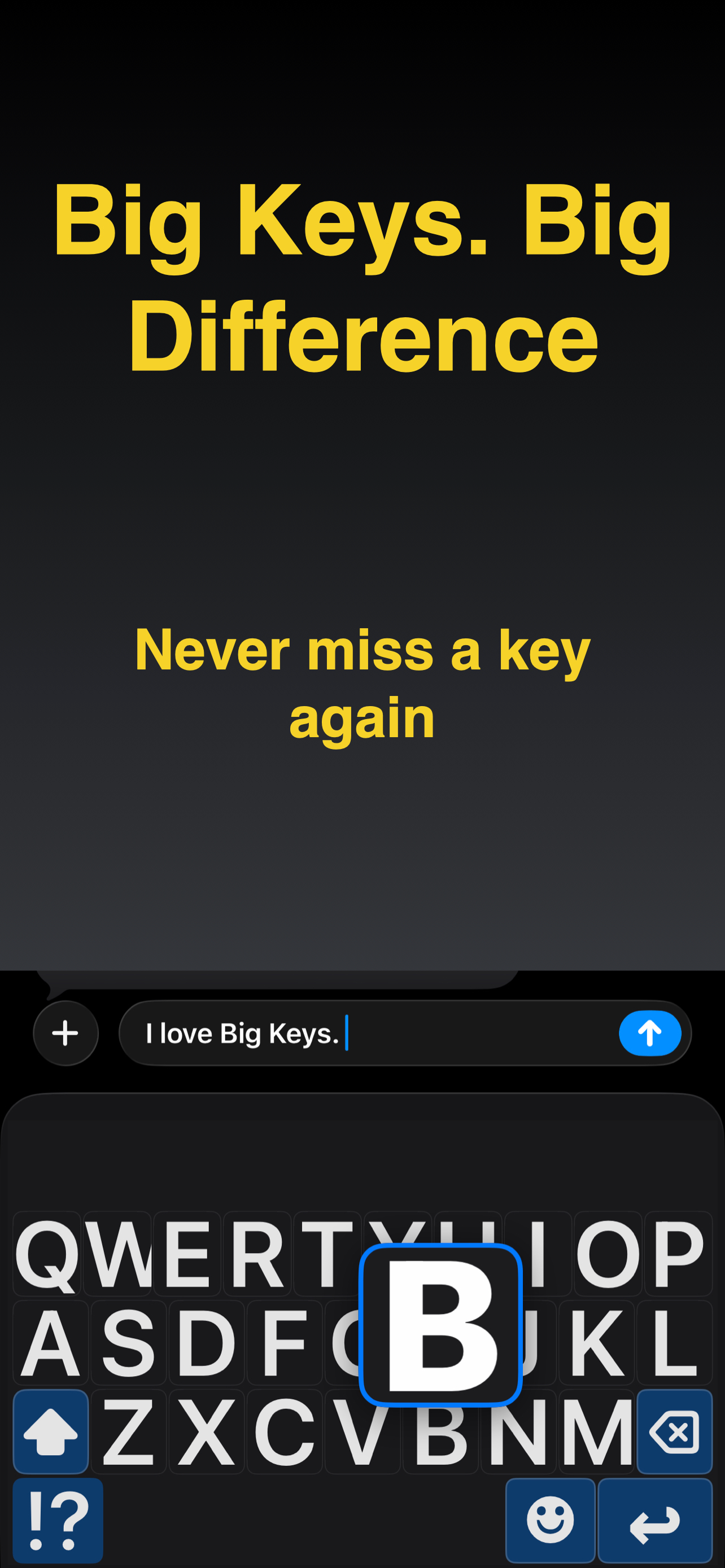
Big Keys Keyboard helps you type with large keys, large text, and an accessible keypad on iPhone. It is built for low vision, seniors, and anyone who wants a clearer, calmer keyboard. Make your next message easier to write and easier to trust, starting now!
Built for visibility
Most keyboards assume perfect vision and tiny, precise taps. Big Keys Keyboard focuses on clarity with bigger letters, clearer spacing, and layouts that feel easier to follow so you can type with less strain.
A calmer keyboard experience
Some people find standard keyboards visually noisy or overwhelming. This keyboard aims to feel more predictable by keeping things clear and reducing unnecessary clutter, which may help support focused typing for users who prefer a calmer layout.
Helpful for caregivers
If you are setting up a phone for a parent, child, or someone who needs accessibility support, Big Keys Keyboard can be a simple helper to get them typing comfortably faster.
Keys, text, and emojis
Adjust key size to reduce mistaps and make each tap feel more accurate. Make the typing text larger so you can confirm words faster before you hit send. And if emojis look tiny, scale them up so your favorites are easier to see and select.
Dedicated keypad
Need to type digits fast? The built-in keypad is there for PINs and codes, but also for phone numbers, prices, and addresses.
High contrast themes
Choose a look that keeps the keyboard clear and readable. Bright light can wash things out, so stronger contrast often helps. At night, a calmer theme can feel better while the letters stay easy to see.
Language support
If you type in more than one language, switching should not feel like work. Use the language options in the keyboard so you can keep your flow across messages, email, and search.
Less retyping
Gesture shortcuts can help you reach the keypad or special characters faster. If enabled, haptic feedback can make key presses feel more certain, and a last key indicator can make quick corrections easier.
Quick answers
- Can I really make the keys bigger? Yes, you can adjust key size to match your comfort.
- Does it help with low vision? Yes, the design focuses on large letters, clear spacing, and contrast.
- Is there a number pad? Yes, there is a dedicated keypad for fast digits and codes.
- Can I make emojis bigger? Yes, emoji size can be increased too.
- Is setup complicated? No. Enable the keyboard once in iPhone Settings and then use it anywhere you type.
- Is there an upgrade? Big Keys Keyboard may offer optional upgrades that unlock additional options.
Download our app and start typing with less strain and more confidence. Set your ideal key size, pick a high contrast theme, and keep the keypad ready for numbers whenever you need it. Enable Big Keys Keyboard in minutes and enjoy a clearer keyboard every day!
Terms of Use: https://www.youapps.co/privacypolicy
商店排名
商店排名基于 Google 和 Apple 设置的多个参数。
所有品类在
美国--
生产力在
美国--


 Big Keys Keyboard VS.
 四月 11, 2026