

Instant Web Insights, Built Into Your Browser
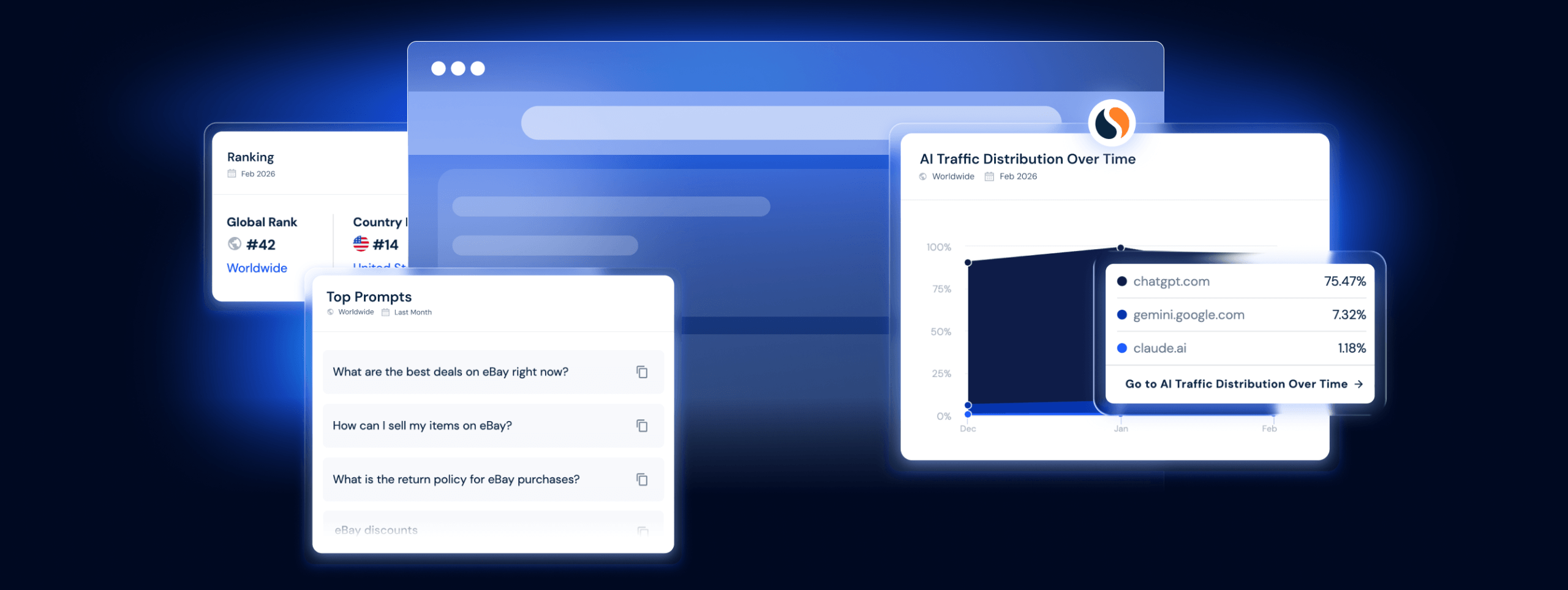
Everything you need to know about any website, right in your browser
AI TRAFFIC
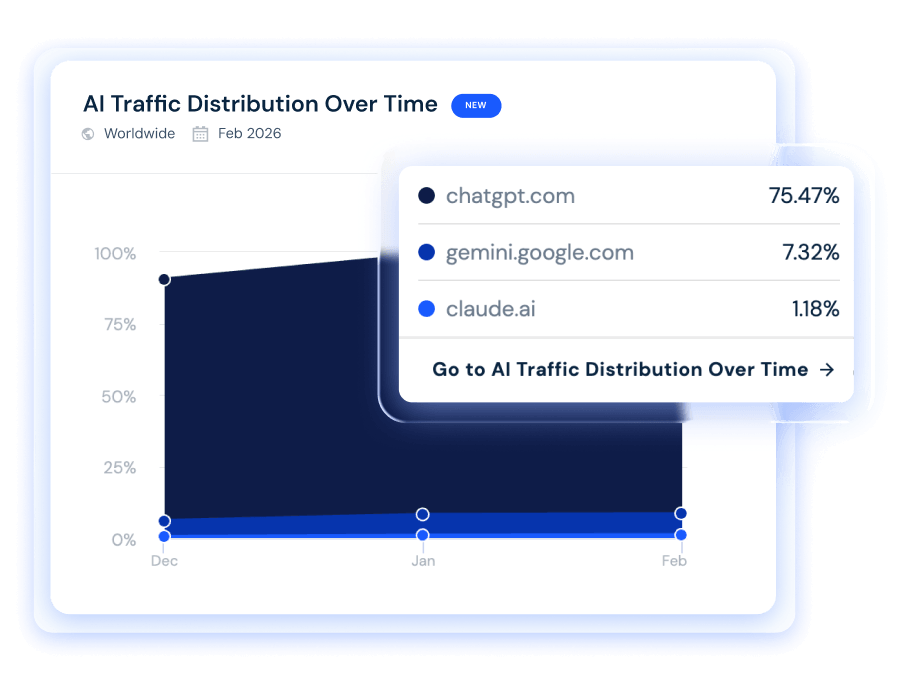
Find out which LLMs are sending traffic to you and your competitors
See how much of any site's traffic comes from ChatGPT, Gemini, Claude, Perplexity, and other AI chatbots. Track AI traffic over time to understand how changes in AI search are affecting your category.
TOP PROMPTS
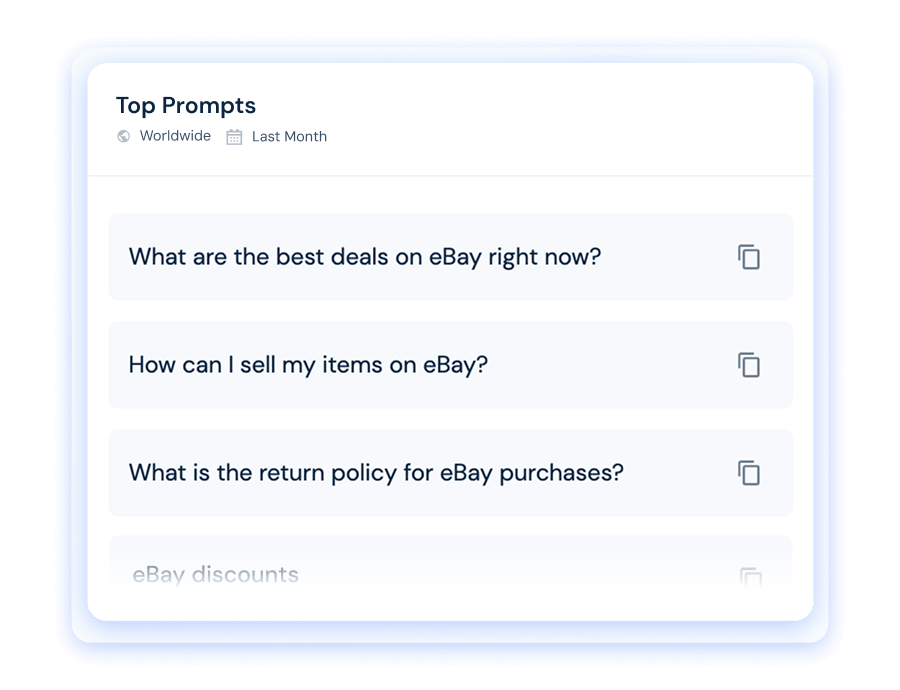
See the exact questions users ask AI about any brand
Discover the real prompts users type into ChatGPT, Gemini, and Perplexity about any site. And use that intelligence to create content for the conversations that matter.
VISITS OVER TIME
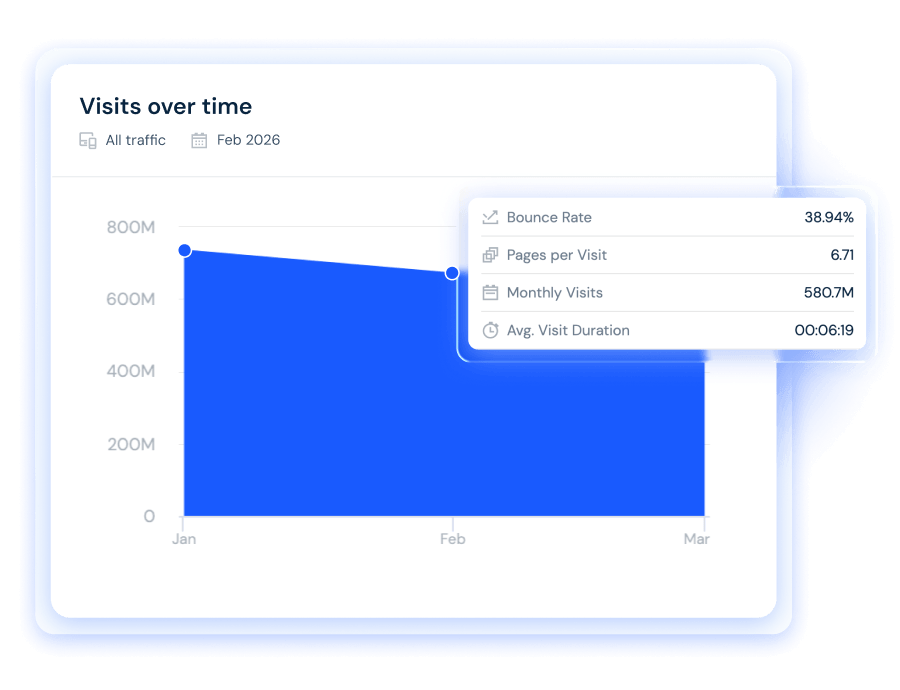
See exactly how any website is growing, or losing ground
Track total monthly visits, bounce rate, pages per session, and average visit duration for any domain. Benchmark your performance, and spot competitor trends before they become threats.
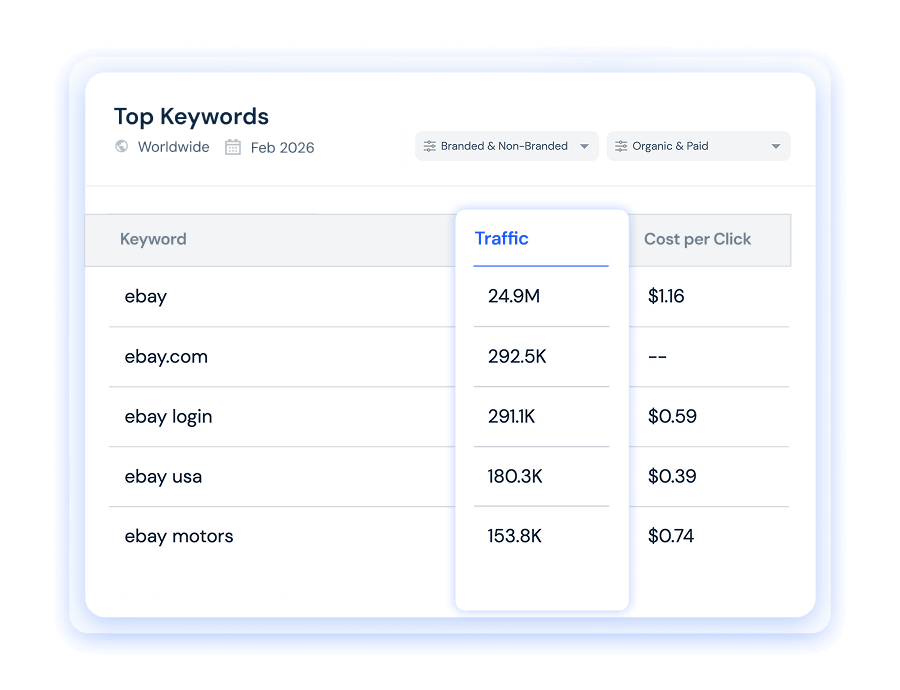
KEYWORDS
Uncover the keywords any site ranks for, and what they pay
Explore the top-performing search terms driving traffic to any website, complete with estimated click volume and cost-per-click (CPC) figures. That way, you know exactly how to improve your search strategy.
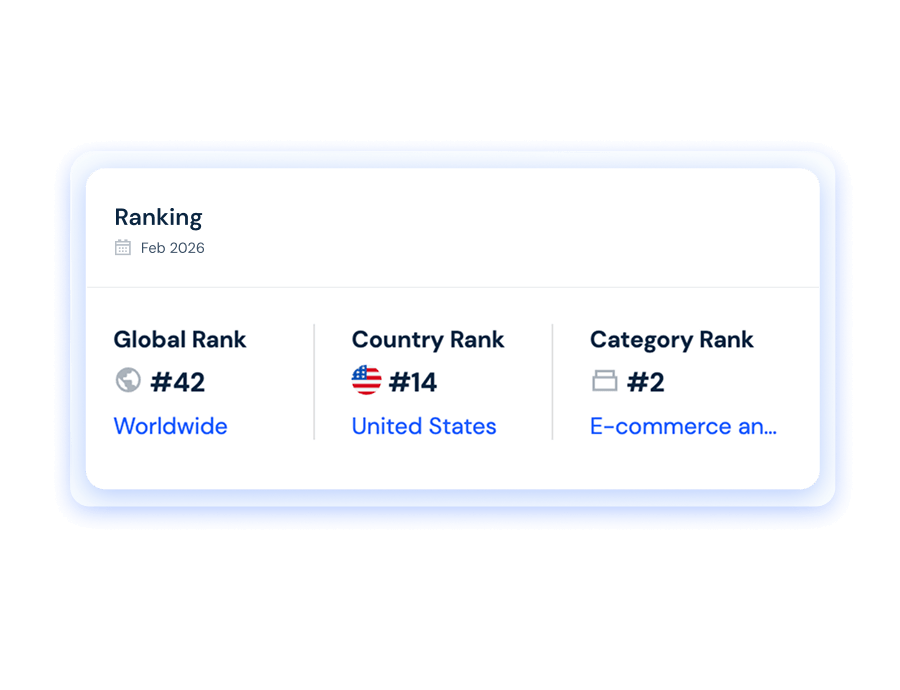
RANKING
Know your website position in the digital universe
See where any website ranks globally, by country, and within its category. Track how positions shift over time to measure competitive momentum before making market or niche investments.
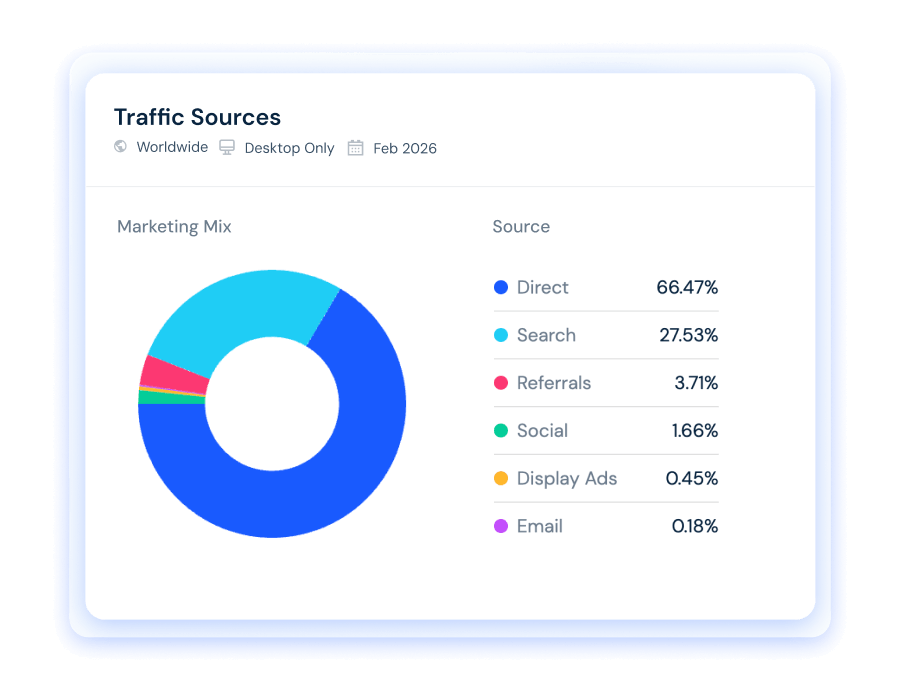
TRAFFIC SOURCES
Find any competitor's channel mix in seconds
See the full traffic source breakdown for any site, including direct, organic search, paid search, social media, email, referrals, and display advertising. Understand what's working for competitors so you can make smarter decisions about your own investments.
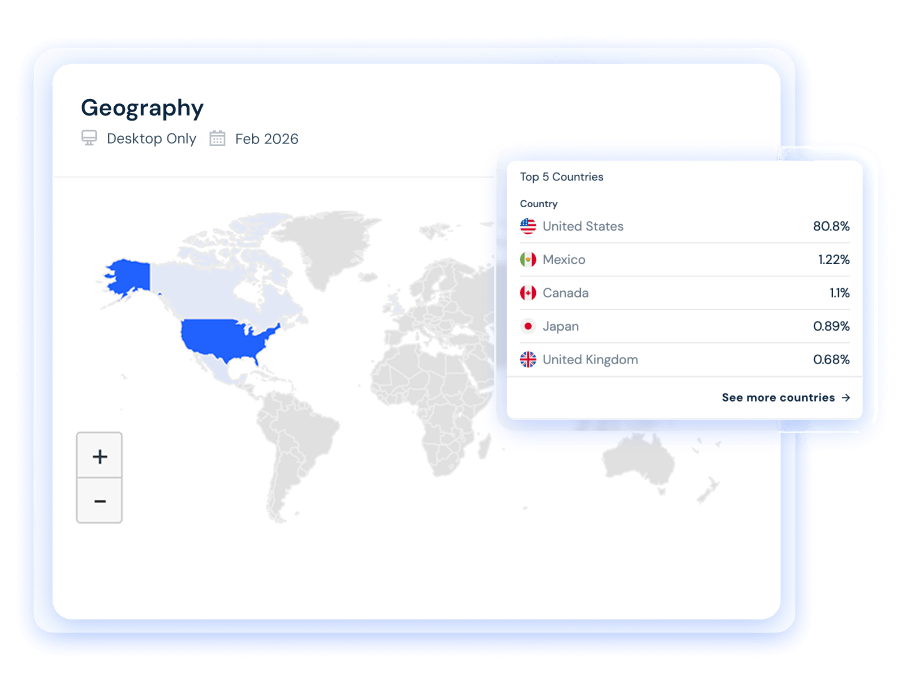
GEOGRAPHY
See which markets are powering any website's traffic
Identify which countries are sending visitors to any domain, with the percentage of visits from each country. This is essential context for international expansion, localization, and competitive geographic analysis.
What the community is saying










FAQs
Got questions? We've got answers.
The Similarweb extension shows traffic visits over time, AI chatbot traffic distribution, top prompts, important keywords, website ranking (global, country, and category), traffic sources by channel, and traffic by geography, for any website, in one click.
Yes. The Similarweb extension is free to install and use on Chrome, Edge, Firefox, and Opera.
The extension is available for Google Chrome, Microsoft Edge, Mozilla Firefox, and Opera.
Yes. The extension shows traffic referred from ChatGPT, Gemini, Claude, and other major LLMs. So, you can see which chatbots are sending people to a site and how that mix shifts over time.
Click "Add to Chrome" on this page to install directly from the Chrome Web Store. The Edge and Firefox versions are available via their respective extension stores. Once installed, click the Similarweb icon in your browser toolbar on any website to see instant insights.
The Similarweb extension works on any website you visit. Simply navigate to a domain and click the extension icon to instantly see traffic and performance data. Note that very small websites with limited traffic may return partial data.
Yes. The extension displays traffic data across desktop and mobile web, so you can see exactly how audiences reach any website, regardless of which device you're browsing on.
No. The extension is free to install and use without a Similarweb account. For deeper analysis and access to the full Similarweb platform, including historical data and advanced filters, you can sign up for a paid plan.