

4月18日 的 Calligrapher Pro 應用程式分析
Calligrapher Pro
- Mark Tushkevich
- Google Play 商店
- 付費
- 藝術與設計
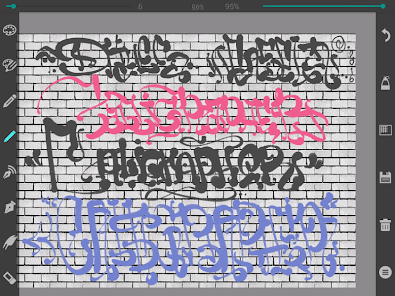
Using pens and pencils the program enables creating calligraphic prints and drawings. The toolbar is easy to use – tools are on a transparent background and don’t block up your screen.
5 sorts of pencil:
- A simple pen (line thickness remains constant)
- Pen (line thickness depends on the movement speed)
- Thin pencil (line thickness depends on the movement direction – press simulation)
- Wide pencil
- Double pen
There are settings such as colour, line thickness and transparence for each tool.
Slope angle settings of the wide pencil are from 0 up to 90 degrees.
For the thin pencil up to 360 degrees.
Zoom.
Gradient background.
You can open your image and photo.
Advantages of the Pro version:
- ads free
- large range of pen width setting
- adjusting the size of the texture
- automatic change of screen orientation, the application can be used both in landscape and portrait orientation (in the usual version only landscape)
- disabling anti-aliasing, which allows small images to draw on pixels
Your drawings can be saved for the further processing.
Calligrapher Pro 使用排名
基於 Similarweb 的算法,根據過去 28 天的安裝數和活躍用戶數進行計算。
所有類別 在
美國--
藝術與設計 在
美國--



 Calligrapher Pro VS.
 4月 18, 2026