

You’ve hit your search limit
Start your free trial to keep exploring full traffic and performance insights.
Get StartedFingerNavi análises de aplicativos para 15 de maio

FingerNavi
- Aizu Laboratory, Inc.
- Apple App Store
- Gratuitos
- Navegação
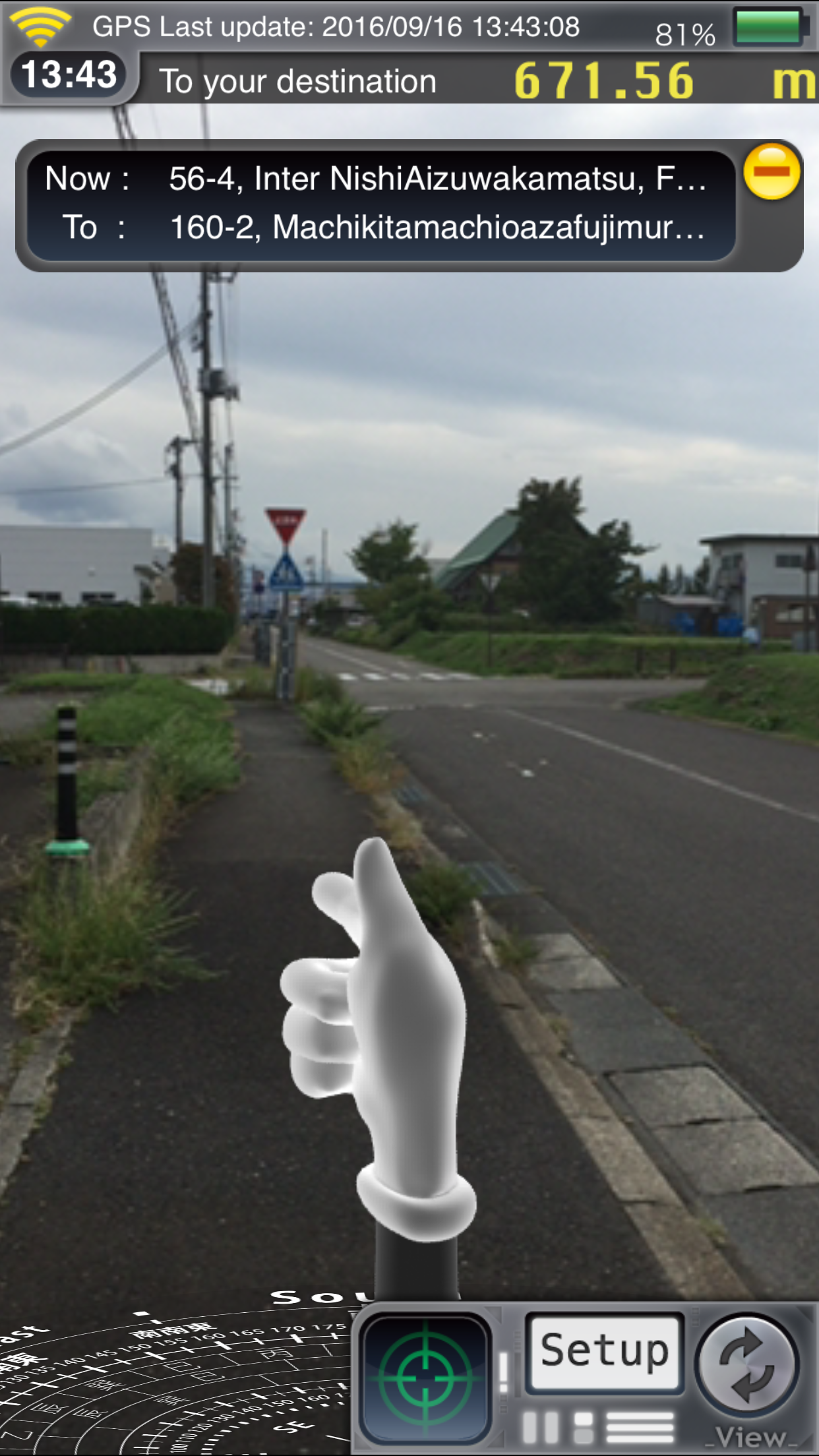
This application displays a finger cursor pointing in the direction of the destination. This application is not a precise navigation system, but rather a general use directional guide.
Features:
1. You can easily recognize your route to the destination by the overlaid images. The direction to follow is indicated by the finger cursor.
2. You can view your route on a street map, a satellite view or hybrid of the two.
3. The map can be oriented with North at the top, or rotated to reflect your actual direction.
4. Distance units can be displayed in meters or miles.
5. Battery status is displayed in five increments(charging, full 3 / 4, 1 / 2, 1 / 4).
6. The screen displays three network conditions (WiFi, cellular networks, not connected)
7. Compass (red arrow indicates North).
8. If available, the geographic names of your current location and destination are displayed.
Notes:
1. Application requires an electronic compass and GPS enabled device.
2. You can select either the compass or GPS navigation guide. (GPS mode is activated after you start moving)
3. Frequent use of the compass and GPS sensors results in high battery usage. Prolonged use may result in accelerated battery drain.
4. The map is displayed using the standard iPhoneOS map API and requires a connection to a communications network or other network by Wifi to accurately display location information. Map information may transfer large amounts of data.
5. May not function properly near strong magnetic or electronic fields. May be resolved by changing your location slightly.
6. Please do not use this application while driving.
7.If the marker is changed, swipe the screen (move while touching, dragging the horizontal direction) then you can return to the finger marker.
Instructions:
1.Set the first destination.
Center the map on your destination at the registration screen, or you can select a place name from the search bar at the top.
Tap Detail button to bookmark that location.
You can select bookmarks from the search bar, bookmarks, search history or from your contacts.
2.After setting, press Enter to return to the navigation screen and guide will start.
The latitude and longitude of both your current location and destination, the address of your destination, distance to the destination and direction will be displayed. The finger cursor shows the direction towards your destination.
3.On the bottom of the navigation screen, you will find the Destination Setting, the Detail Setting, and the Toggle buttons.
Destination setting: opens another screen where you can set bookmarks, search history, or select from your contacts.
Detail Settings: opens another screen where you can change the following details:
Show Address: When turned on, the display will show the address of the destination location. (If unavailable, latitude and longitude will displayed instead)
Map Type: Choose from Street Map, Satellite View or a Hybrid of the two.
Map Rotation: When turned on, the map rotates to match your actual orientation.When off, the top of the map indicates North.
Compass setting: You can select True North or Magnetic North.
Navigation system: You can select Compass or GPS.(GPS guide begins after you moved)
Compass view: You can select AR, Single or Hide.
Unit of distance: You can select km or mile.(The km/m indication becomes the m indication when it was under 1km)
Lock screen: When locked, the map does not orient toward your actual direction.
Help: The instructions are listed.
About: Features, Notes and information of company are listed.
Toggle : Changes the layout of the three main elements, the Map Screen, the Navigation Screen and the Camera View. Each press of the button rotates to the next layout.
Ranking da Loja
A Store Rank é baseado em vários parâmetros definidos pelo Google e Apple.
Todas as categorias em
Estados Unidos--
Navegação em
Estados Unidos--
Principais concorrentes e aplicativos alternativos
Aplicativos com alta probabilidade de serem usados pelos mesmos usuários, da mesma loja.

Satellite TV Finder, Dish 360

Satellite Map - Live Earth

Compass - Professional

Flymaps
 FingerNavi VS.
 maio 15, 2026