

You’ve hit your search limit
Start your free trial to keep exploring full traffic and performance insights.
Get StartedDinosaurWorld analisi dell'app per 15 maggio
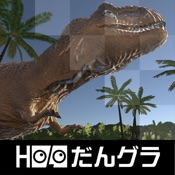
DinosaurWorld
- Hologram Co.,Ltd.
- App Store di Apple
- Gratis
- Giochi
iPhone
1: Hold the iPhone sideways and launch app, the "Made with Unity" logo is displayed. Next, a dialog box will pop up asking you to access the camera. At this time, be sure to tap "OK" to allow the request. If you accidentally tap "Don't allow", please delete the application and reinstall it.
2: Next, rotate your body to the left on the spot to overlap the [Screen size] menu on the left side of the screen and the “sphere cursor at the center of the screen” and tap the triangle mark at the lower right of the screen. (It is referred to as "Select" below)
When the screen switches to the compatible model list, "Select" the iPhone model you are using, and then "Select" [Decision] to confirm the model you are using.
3: If the menu does not fit into the field of view or is displayed tilted, tap the triangle at the bottom left of the screen to redisplay it in front of you.
4: “Select” the [MR] [VR] [AR] menu you want to experience and advance to the next screen.
5: If you select [MR] or [AR], "Use of location information" will be asked in the dialog box, so tap "Permit", and when the compass is displayed, make fine adjustments in the direction of true north and then [Game start] Play will start after "Select".
When [VR] is selected, play starts immediately.
After each play starts, set the iPhone to "Dangla".
6: While playing, at any time tapping the left button of the "Dangla" will bring up a menu.
The functions and roles of the left and right buttons of the "Dangla" and each menu displayed on the screen are as follows.
※ The popup of the dialog box is used only for the first time after the application installation for both camera access and use of location information, and will not be displayed after the second time.
***Left and right buttons of "Dangla"*** or [triangle mark on lower left screen] and [triangle mark on lower right of screen]
[Left button]: playing (when the menu is not displayed on the screen), the menu pops up when pressed. When the menu is displayed, press to redisplay the menu in front of you.
[Right button]: Valid while the menu is displayed. Rotate the body left or right to display the desired menu on the front, and press the button when the spherical cursor is overlapped.
***Screen Display Menu***
[Screen size] Select the model from iPhone 6S to XS MAX
※ In order to fit the size of the iPhone screen to the size of the mirror and lens, the screen display will be relatively shrunk as the LCD screen size of the iPhone increases.
[Two eyes / Single eye] Switch the single eye / both eyes mode
[System menu] Move to the basic (System) menu screen where you can select MR / VR / AR, IPD, ScreenSize etc.
[IPD] Correct inter-pupil distance by program
[MR] Mixed reality mode, background image is displayed superimposed with live-action image through the half mirror
[VR] Virtual reality mode, 3D images of dinosaur and background are displayed
[AR] Augmented Reality mode, background image is displayed superimposed with live-action image through iPhone camera
[Startup setting] (preparation menu for developers)
[Decision] Confirm the previously selected menu and advance to the next screen
[Restart] Returns to the state(menu) immediately after the application start
[Dinosaur] A dinosaur picture book where you can observe 12 kinds of dinosaurs
iPad
1:Please skip the "set in Dangla" part of the above steps of the iPhone and proceed with the setting.
2: In case iPad,
"Select" to [Single eye] for [Two eyes / Single eye]
and “Select" to [Minimum 6S-7-8 Full Screen] for [Screen size].
【please note】
・ Do not use this app on public roads or places with many people.
・ Please be sure to play small children always in the safe with parents.
・ Don't aim "Dangla” at the sun.
・ Don't use in the two eyes mode if you are under the age of 13 in the developmental stage of vision
・ We do not compensate for the damage caused by using this application directly or indirectly.

Classifica degli store
La classifica del store si basa su diversi parametri stabiliti da Google e Apple.
Tutte le categorie in
Stati Uniti--
Giochi in
Stati Uniti--
Principali concorrenti e app alternative
App con un'alta probabilità di essere utilizzate dagli stessi utenti, provenienti dallo stesso store.

Dinosaur Attack - Spinosaurus

Dinosaur Survival Battle Saga

Dinosaur Game - Raptor Pack

Dinosaur Game-Pteranodon
 DinosaurWorld VS.
 maggio 15, 2026