


5月18日的ExpensesList应用程序分析

ExpensesList
- chewang wu
- Apple 应用商店
- 免费
- 金融
1. Always display the income/expenditure details and balance for the current month on the homepage, providing a clear overview. (How much money is available to spend this month?)
2. The homepage shows the total income and expenditure for the current month, as well as the types and amounts of each income/expenditure category. (Where did the money go?)
3. Customize and edit the text of income/expenditure categories. (What are the details of income and expenditure?)
4. Clicking on an income or expenditure category reveals the details of each item for that category in the current month. (You can check data from several months ago.)
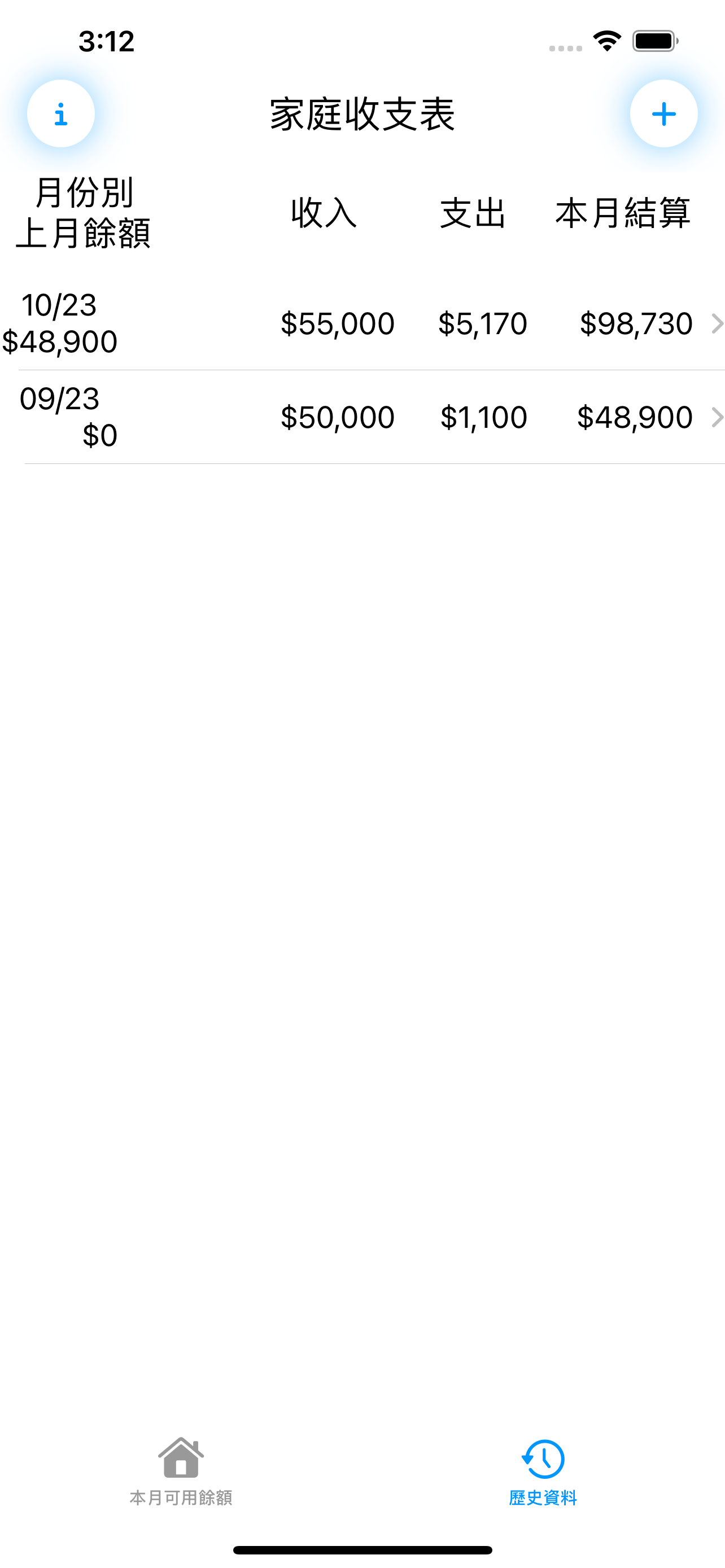
5. Historical data is statistically organized by month, showing income/expenditure details for each month, and can be updated at any time. (You can see which month you spent more and here the money went.)
6. The settlement balance for the current month is automatically carried over to the next month. (Save a little more this month, and you can spend a little more next month.)
7. If the expenditure exceeds the income for the current month, expenditure items are displayed in red. (Red indicates overspending and serves as a warning.)
8. If the settlement balance for the current month is negative, the entire row for that month turns red. (An entirely red row is a severe warning indicating overspending.)
商店排名
商店排名基于 Google 和 Apple 设置的多个参数。
所有品类在
美国--
金融在
美国--




 ExpensesList VS.
 五月 18, 2026