

7月13日 的 TanaOroshi 應用程式分析

TanaOroshi
- Masashi Yamada
- Apple App Store
- 付費
- 生產力
Can do [TanaOroshi]
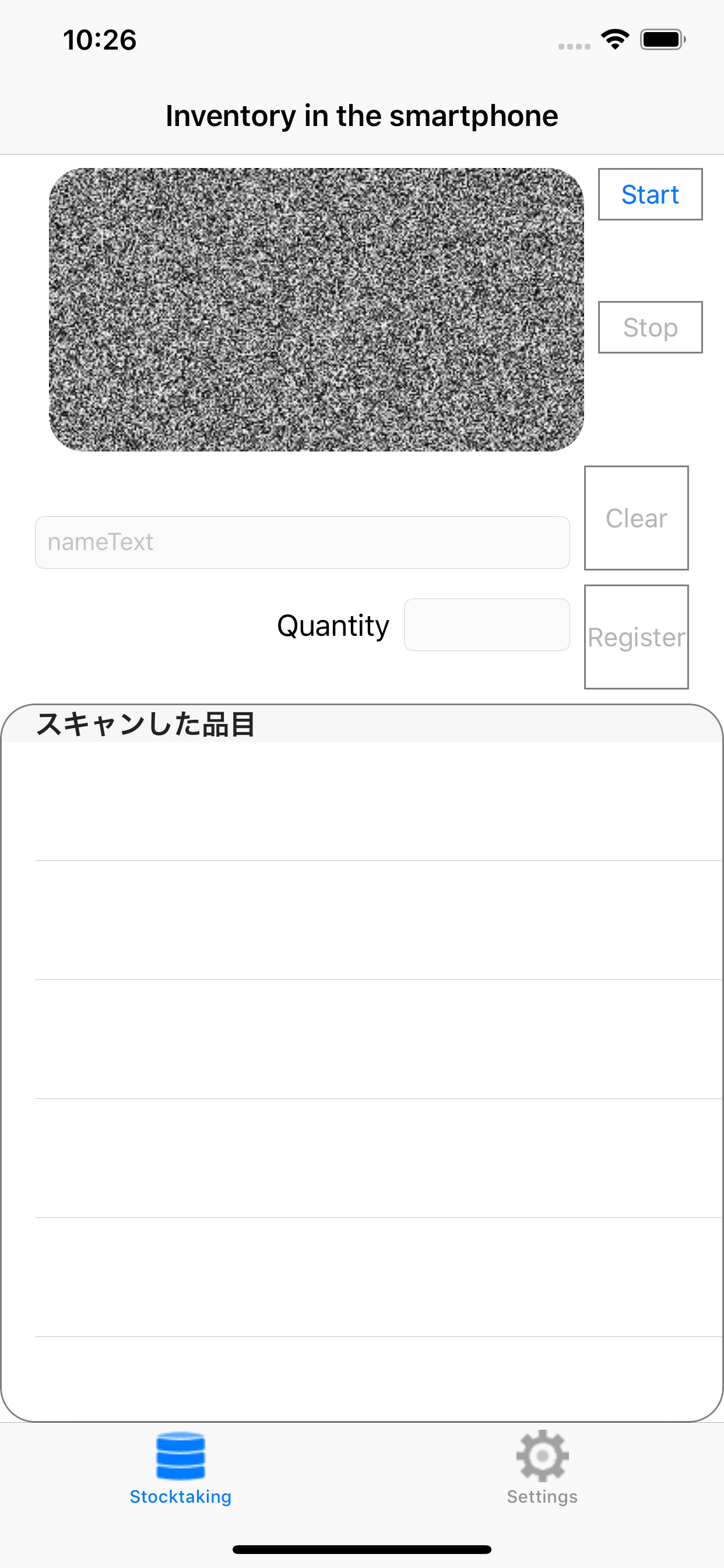
The iPhone you are using usually also without preparing a bar code reader or a dedicated scanner can be used as a terminal for stocktaking.
How to use the [TanaOroshi]
---- Preparation of a PC -----
I have a CSV file that is in the product information in 1 PC, etc.
Format Example of CSV file:
123456799, product A
234563323, commodity B
456674304, commodity C
...
And send it to the iPhone by attaching a 2 CSV file to the mail. Here are may be sent to the iPhone using the sharing tools such as Evernote.
---- Operations in the iPhone -----
3 I open the CSV file in inventory in smartphone. Number of articles that have incorporated the capture is complete will be displayed.
4 I will tap the "shelf start" button.
Since 5 dialog comes out I will put a shelf number (optional). It is may not be put if there is no shelf number.
6 I will scan the bar code
7 items name if products are registered in the captured data from a CSV file appears.
And then tap the input "register" button 8 quantity.
Tap the "Clear" button if you've scanned the ones you make a mistake 9.
10 shelves I tap the "shelf end" button when you are finished.
11 number is a number that has come out in the list of the bottom of the screen that you scan, in parentheses is the total number of products of the code.
---- Output of inventory data -----
Settings tab -> I tap the export inventory data. It will be output in CSV format.
List of the total number when "data of the same code together" is turned on is output.
"Data for the same code together" is output as data input by scanning if it is turned off.
Please used for different purposes depending on the application.
---- For product information incorporation -----
When the commodity information uptake it will be removed once all. Please prepare a CSV data necessary are ready all the time capture.
---- For inventory data -----
Inventory data does not have to be automatically deleted. Make sure that you have been removed before the start of inventory.
Settings -> can be collectively deleted by deletion of the inventory data.
商店排名
商店排名基於Google和Apple設定的多個參數。
所有類別 在
美國--
生產力 在
美國--


 TanaOroshi VS.
 7月 13, 2026