


7月17日 的 megawood 應用程式分析

megawood
- NOVO-TECH GmbH & Co. KG
- Apple App Store
- 免費版
- 生活方式
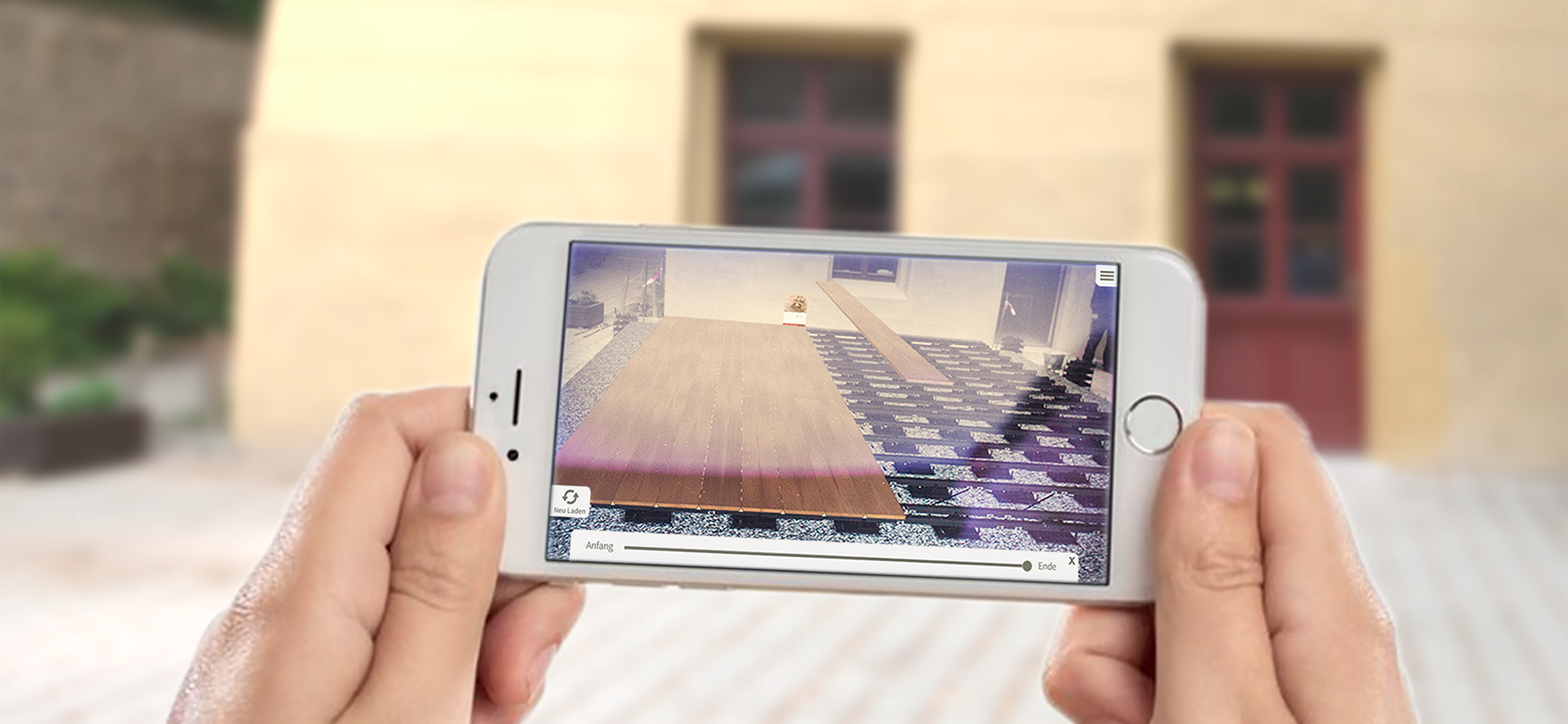
The 3D app from megawood is an innovative tool. You can marvel at your future desired terrace deck or privacy shield / fence system before laying it in your own garden.
With just a few clicks, you can design your own personal megawood planning and view your planned deck or fence from all sides. Thanks to the integrated construction animation, you can view exactly how your megawood plannig is constructed.
Using the live 3D view, you can virtually position the deck or fence in your own garden and immediately see which size and which design is best suited to your house.
It's so easy:
1. Take the current megawood "Terrace taken one step further" brochure. You will find the marker required for the LIVE 3D view on the reverse side of the brochure. Alternatively, you can download the marker from the megawood website and print it out in A4 format.
2. Position the marker in the location where you wish to position your deck.
IMPORTANT! Attach the marker to the wall of your house using adhesive tape for example. In doing so, the marker should be positioned vertically so that the bottom edge of the marker motif ends at the height of the planned upper edge of your deck. For the correct position of the fencing system, place the whole A4-page on the ground.
3. Open the megawood app. Select a planned deck. Activate the LIVE 3D mode and point your smartphone or tablet camera at the marker. The virtual deck or fence will be automatically displayed.
4. Using the megaplaner 3D from megawood, consisting of the deck planner and the fence configurator, and with the megawood app, you can now easily plan your dream terrace and fence system and view it directly on site.
We hope that you enjoy trying it out.
商店排名
商店排名基於Google和Apple設定的多個參數。
所有類別 在
美國--
生活方式 在
美國--




 megawood VS.
 7月 17, 2026