


7月14日 的 HyperSynchron 應用程式分析

HyperSynchron
- LiveSkills Menssen & Ebelt GbR
- Apple App Store
- 付費
- 照片與影片
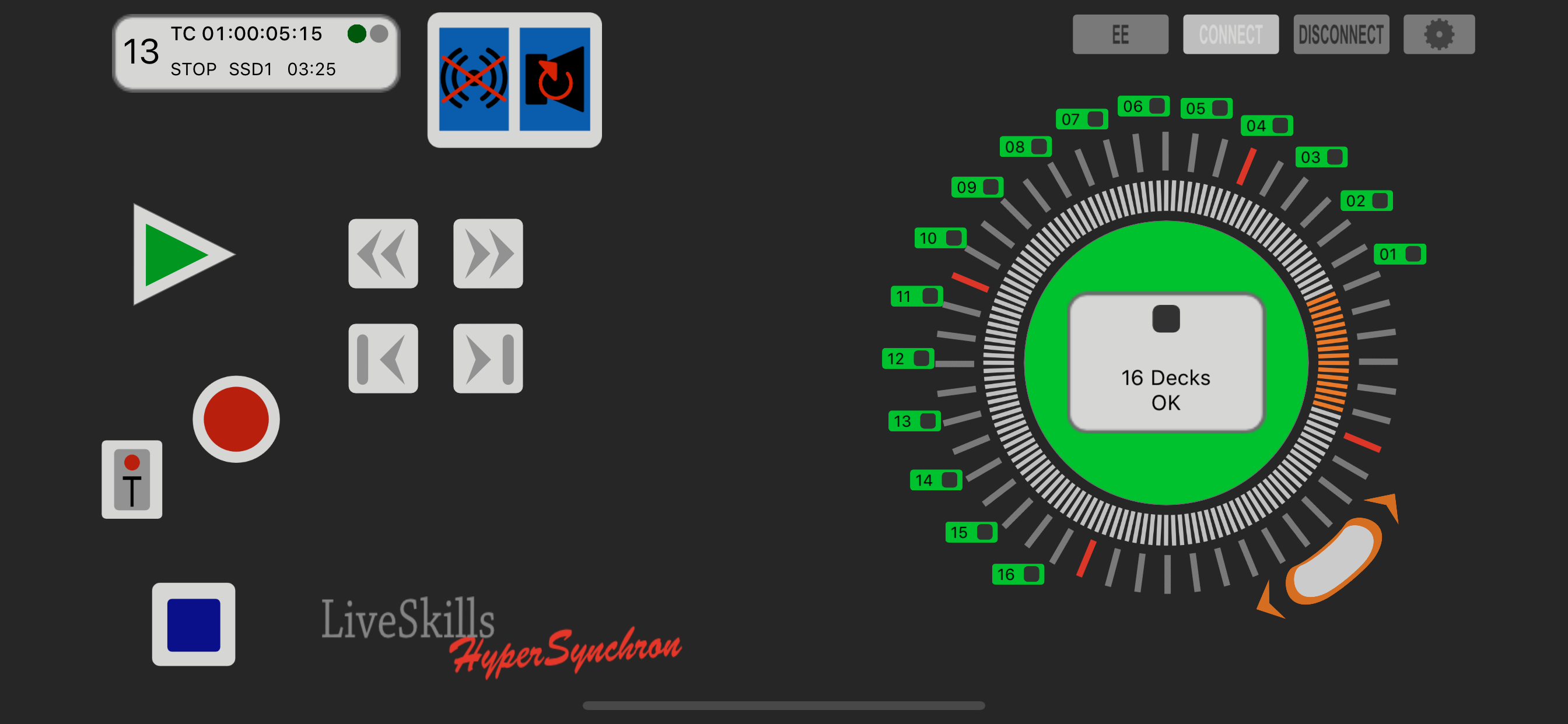
The HyperSynchron Deck Supervisor monitors up to 16 Decks and informs you when an error or a critical situation occurs on one or more Decks, optionally using voice output. Use the innovative Jog/Shuttle tool to control your playback. Setup your decks in the deck popup, format your storage media, set the base file name and see the clips contained on the media storage. Set the record timer to start and finish a recording automatically.
Features:
• tap on a function and control all decks at once
• main usage of HyperSynchron is to monitor the recordings of an event, although it contains versatile play functionalities as well.
• connect your HyperDecks with Wi-Fi or Ethernet to your iOS device
• HyperSynchron informs you about all problems causing that decks are not operating synchronously anymore, like “no disk inserted”, “no input at recording start” or “disk full”
• a smart Deck Supervisor permanently analyzes the status information from all connected decks and presents the relevant part in a single display. It monitors if all decks are in the state requested and whether a deck’s remaining recording capacity gets below certain limits.
• information is displayed graphically and optionally acoustically using spoken messages in clear English
• connect your iOS device running HyperSynchron via audio out to an intercom system, hear all warnings and you can concentrate on your main job, e.g. vision mixing, In case you missed a message due to hustle and bustle in live operation, it can be repeated with a single tap.
• The recorded clips on SSD / SD card are displayed and accessible in a list. Tapping on a list item tells the deck to jump to the first frame of it.
• You can wind fast forward and backward in clips using the innovative Jog/Shuttle control. You decide whether you control all decks at once or only a single one. Use the additional pause button to control your HyperDecks in traditional VTR-mode.
• In single deck window you can use all setup options provided by Blackmagic like slot, recording, video and audio options, formatting storage media, setting base clip name.
• integrated timer functionality: A very helpful feature to set a time for start (and optionally end) of recording, so the decks begin automatically to record. We all know how much hectic there is before a live event starts and to set all decks to record mode easily gets forgotten. That’s history now. The speech assistant informs you about a successful or unsuccessful start of recording.
商店排名
商店排名基於Google和Apple設定的多個參數。
所有類別 在
美國--
照片與影片 在
美國--


 HyperSynchron VS.
 7月 14, 2026