

You’ve hit your search limit
Start your free trial to keep exploring full traffic and performance insights.
Get StartedCut and Paste Photos & Eraser analisi dell'app per 6 aprile

Cut and Paste Photos & Eraser
- RETICODE SC
- App Store di Apple
- Gratis
- Foto e video
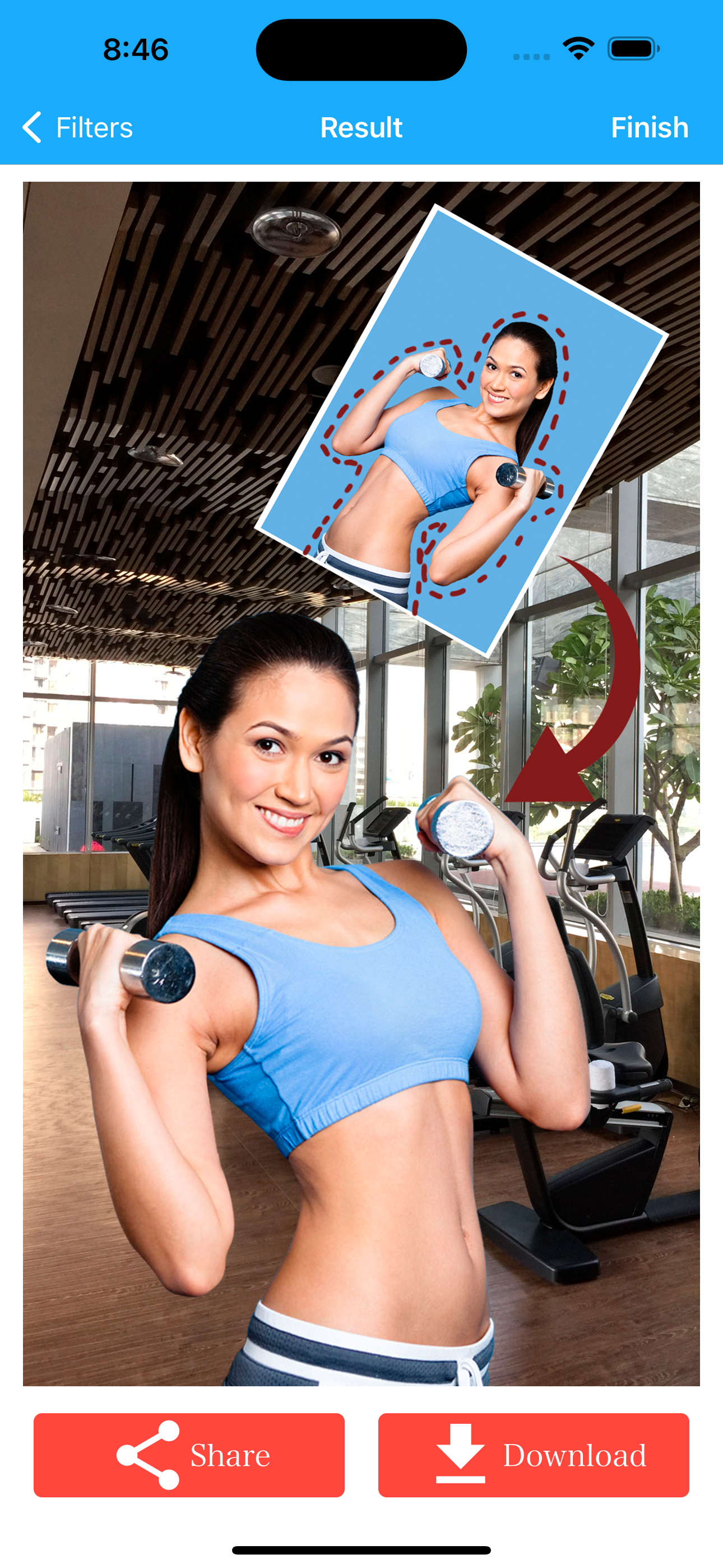
Are you looking for a complete photo editor that allows you to copy and paste photos? This complete app will let you do that!
Main features:
- Choose a photo where you want to crop something on it. Use the photo editor to crop the photo.
- The editor for erasing will allow you to choose the thickness of what you’re erasing, as well as go back if you make a mistake.
- Once you have the photo cropped, you can choose another photo or background to place your photo on – it’s that simple!
- Once you have your creation, you can apply filters to give your photo the finishing touches.
- The application will also let you save all the cuts you make, so you can use them whenever you want with a variety of different backgrounds.
- To finish, just save the image or share it with your friends!
Premium Features:
Unlock powerful professional tools designed for users who want more control, precision, and quality when working with cut and paste photos, photo cutouts, and advanced image editing.
- AI-assisted subject cutout and background removal:
Automatically detect and cut subjects from photos using smart AI technology. For best results, the person or object should be clearly in the foreground. Easily remove backgrounds and isolate people or objects with just one tap, perfect for fast photo cut out and copy and paste photo workflows.
- Advanced edge refinement and smoothing tools:
Fine-tune your cut photos with precision tools that smooth edges, refine details, and improve results around hair, hands, and complex shapes for clean, professional-looking cut paste photos.
- Export images with transparent backgrounds:
Save your photo cutouts as PNG files with transparent backgrounds, ideal for overlays, picture in picture compositions, photo overlays, stickers, or combining images later.
- High-resolution image exports:
Export your edited photos in high quality and full resolution, ensuring sharp results when you merge photos, overlay photos, or share creations on social media and professional platforms.
- Removal of advertisements:
Enjoy a clean, distraction-free photo editor experience with no ads while editing, cutting, and pasting photos.
- Batch processing and advanced editing tools:
Speed up your workflow by editing multiple photos at once, making it easier to cut photos, merge pictures, and manage advanced photo editing tasks efficiently.
Premium features are ideal for creators, designers, and anyone looking for a powerful photo editor to cut, copy, paste, merge, and refine images with ease.
Service Terms: https://reticode.com/terms/terms-of-service-cutout-photos.html
Privacy Policy: https://reticode.com/privacy-policy/
Classifica degli store
La classifica del store si basa su diversi parametri stabiliti da Google e Apple.
Tutte le categorie in
Stati Uniti--
Foto e video in
Stati Uniti--
Principali concorrenti e app alternative
App con un'alta probabilità di essere utilizzate dagli stessi utenti, provenienti dallo stesso store.

Cut Paste – Erase Background

Remove Photo Background vs AI

Background Eraser -

SnapEdit: Photo Editor AI
 Cut and Paste Photos & Eraser VS.
 aprile 6, 2026