

You’ve hit your search limit
Start your free trial to keep exploring full traffic and performance insights.
Get StartedAnalyse de l'application Auto Proximity Detection pour le 24 mai
Auto Proximity Detection
- 方 沈
- App Store Apple
- Gratuit
- Utilitaires
When we are moving or acting, we cannot tap the button on the screen of iPhone or we have no time to watch the screen of iPhone, but we still could cover the screen of iPhone and we still hope to use the iPhone to do the following jobs (1)take photo (2) record the sound (3)record the video (4)turn on/off the flashlight(5) play the sound (6) report the location by talking (7) report the time by talking (8) talk the text notes.(9) count the number one by one.
This App is developed for the situations above. It depends on the Proximity Sensor in iPhone. The proximity Sensor is located at the top part of the screen of iPhone, the left side of front camera.
We need to use the following two special actions:
1. Cover+Left: Cover the top part of the iphone's screen and left.
2.Hold: Cover the top part of the iphone's screen, wait for a longer time, at least ten seconds and finally left.
We could cover the screen by our hands, our clothes, our arms, our face,our body, or our books.
For talking the name of location, the iPhone need to connect the internet
Usage:
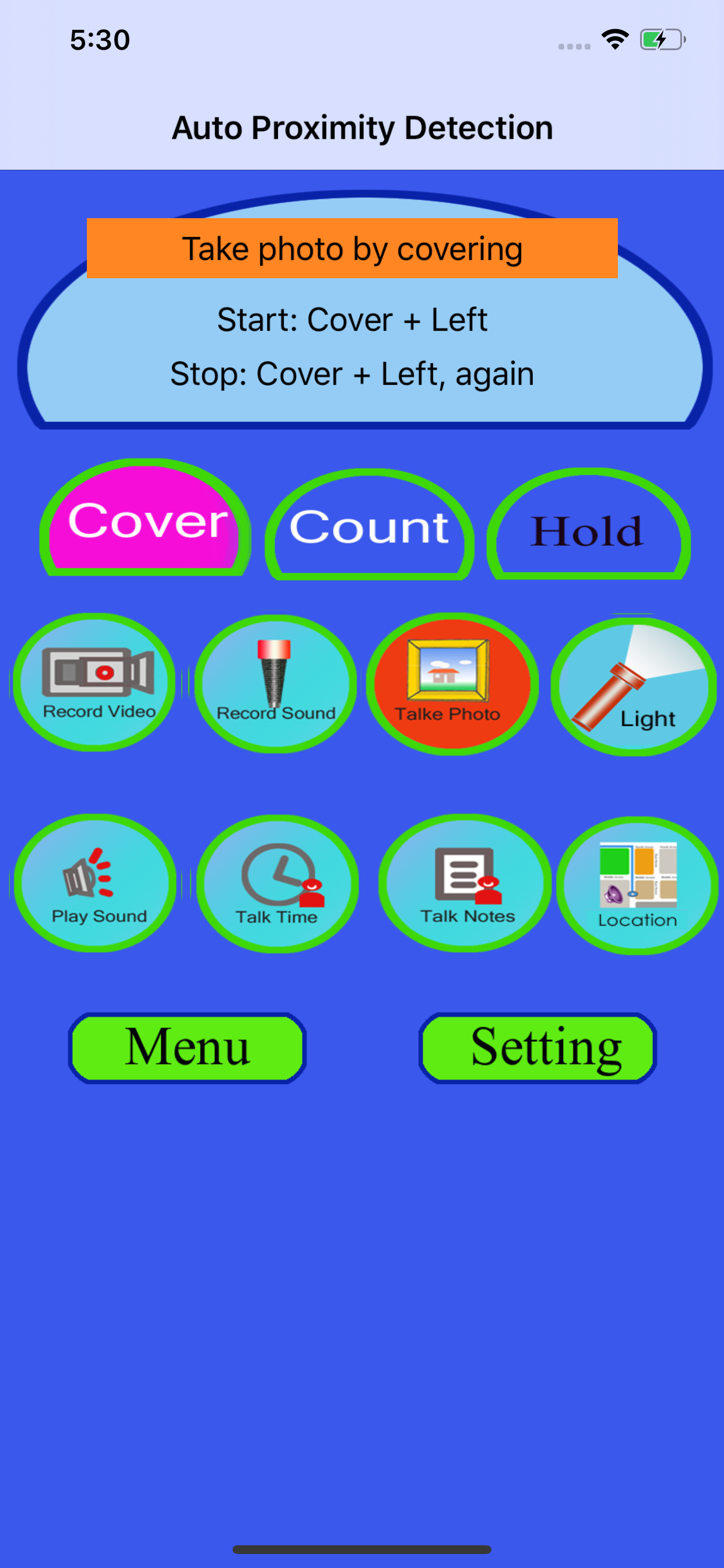
When we tap the cover button, the App will be in the covering status. When we tap the hold button, the App will be in the holding status.
In the covering status, if we take photos (default eight photos), record video, record sound, play sound and talk notes, we need to cover and left the top of the screen first, then the job will start, after at least seven seconds, we could cover again to stop the job.
In the holding status, if we take photos (default eight photos), record video, record sound, play sound and talk notes, we need to cover the top of the screen first, without leaving, then the job will start, when we want to stop the job, we need to left.
Tap the count button, the talking counter will be launched.Just cover the screen, the Talking counter could help us to count the number by talking in English.
Tap the menu button at the bottom left corner, the menu will be displayed. This menu includes five items.
1 View Video Clips.
2 Play Sound files. In this view, we could play sound , delete sound files and rename the file.
3 View Photos. Tap this item, we could see the photo list with the small photo preview. When we tap the photo item, this view will close.
4 Select a sound file for playing. Select the sound file for the playing. The sound files includes the file record by the recording reaction or the sound files imported from the iTune file sharing.
5 Talk Notes. Edit and Add the text notes.
Solution Examples
Solution 1: When we are walking in darkness, turn on or turn off the flash light quickly and frequently.
Step 1: Launch this App.
Step 2: Select the cover button.
Step 3: Select the flash light button
Step 4: Start to walk as usual.
Step 5: If you decide to turn on the light ,then make the iPhone screen close to your clothes and left.If you decide to turn off the light ,then make the iPhone screen close to your clothes and left again.
Solution 2: Make the app talk the current location while we are walking.
Step 1: Launch this App.
Step 2: Select the cover button.
Step 3: Select the location button
Step 4: Start to walk as usual.
Step 5: If you need to listen the talking of the current location ,then make the iPhone screen close to your clothes and left the screen from your clothes.The app will talk the information about the location.
Solution 3: Record the sound while studying in Classroom
Step 1: Launch this App.
Step 2: Confirm already tap the Record Sound button.
Step 3: Select the cover button.
Step 4: Put the iPhone on your desk
Step 5: If you decide to record the sound, then put your hand on the top left corner of the iPhone screen, then left your hand
Step 6: When you want to stop recording, just put your hand again on the top left corner and left.
Classement dans le store
Le classement des stores est basé sur plusieurs paramètres définis par Google et Apple.
Toutes les catégories dans
États-Unis--
Utilitaires dans
États-Unis--
Principaux concurrents & apps alternatives
Applications ayant une forte probabilité d'être utilisées par les mêmes utilisateurs, à partir du même store.

Sensors Toolbox

Structure Sensor Calibrator

Sensors Toolbox - Multitool

Check My Device : 40+ Tests
 Auto Proximity Detection VS.
 mai 24, 2026