

You’ve hit your search limit
Start your free trial to keep exploring full traffic and performance insights.
Get StartedAnalyse de l'application Text Workflow: Text Processing pour le 19 mai

Text Workflow: Text Processing
- Georgios Trigonakis
- App Store Apple
- Gratuit
- Utilitaires
A powerful and easy-to-use tool that will help you transform your text. Text Workflow removes the need to perform repetitive tasks manually on your text.
Combine transformation actions to create powerful automations for your text. Save your transformation workflows to use them any time you want.
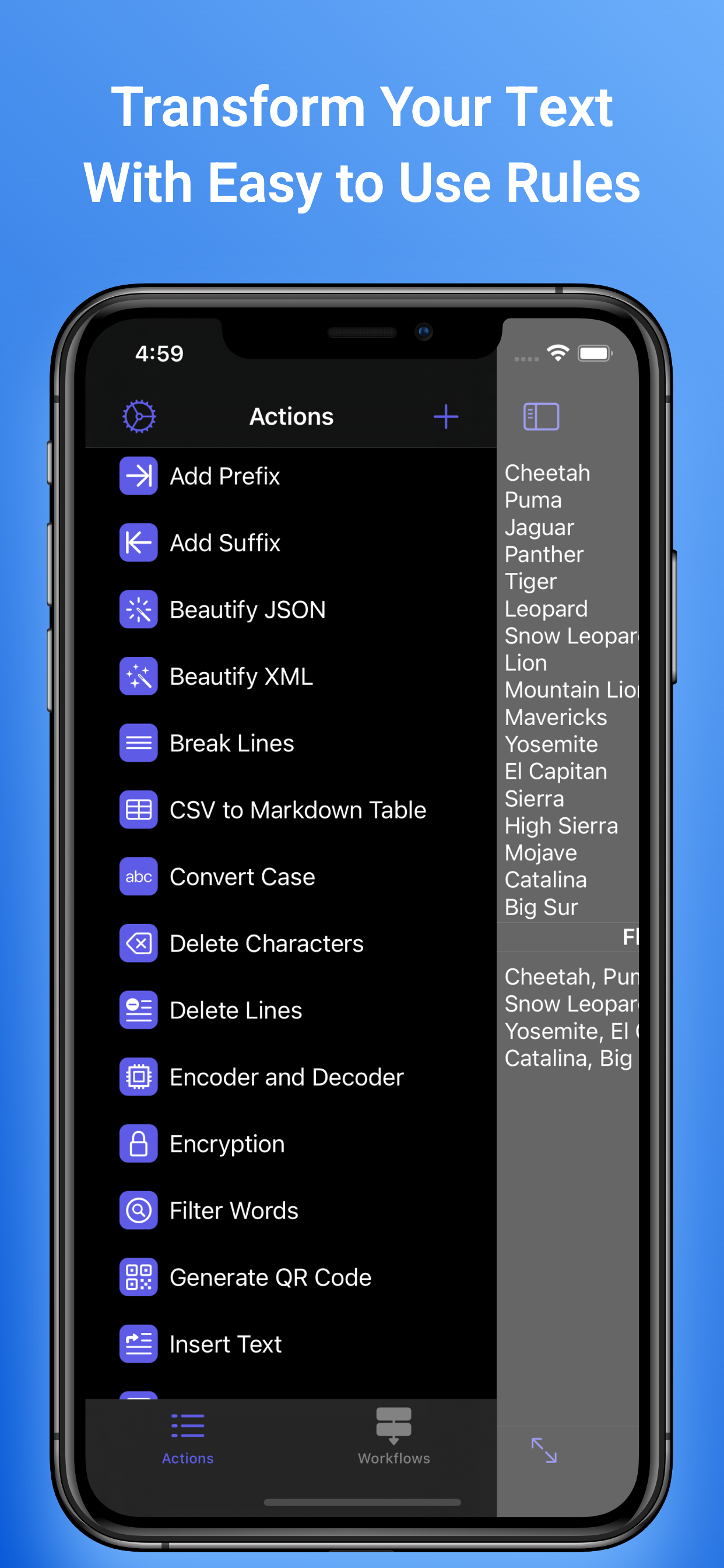
With more than 45 text transformation actions.
Text Workflow is an easy-to-use yet extremely powerful app for taking any text and transforming it into the format you need when you need it.
Whether you’re a journalist tired of making repetitive changes to text so that you can use it in your copy or a programmer who needs to convert YAML to JSON with ease, Text Workflow is the app you’ve been looking for.
Take any text that doesn’t look the way you need it to and Text Workflow will make the changes so that you don’t have to. It’ll do it quickly and securely, too — all conversions are done on-device so your text is never transmitted over the internet.
Text Workflow’s iPhone and Mac apps are the perfect tools for converting text at your desk and on the move — and iCloud sync means that all of your workflows go with you as well.
With an extensive (and growing) list of text transformation actions Text Workflow can do it all. Some examples of the actions available include:
•Add and remove text
•Replace unwanted text
•Sort text based on your parameters
•Convert text case to match your needs
•Remove line breaks, unwanted spaces, and duplicate words.
•Count words, characters, and lines
And that’s just the start. Text Workflow can do more than manipulate simple text — you can also encode and decode URLs and Base64 and convert multiple data formats including JSON, CSV, and YAML. Text Workflow can manipulate text in too many ways to list here — see the full list at the support page.
Text Workflow is designed to be easy to use but also caters to those with more advanced needs. You can chain multiple actions together to create your own workflow and even share those workflows with others. Need to go a step further? Shortcuts support puts all of Text Workflow’s actions at your fingertips at all times.
Available text transformation actions:
• Add prefix
• Add suffix
• Replace text
• Sort lines
-alphabetically
-reverse
-shuffle
-by length
• Trim Lines
• Add line number
• Break lines
-after every word
-after every sentence
-after text
-before text
• Convert Case
-uppercase
-lowercase
-title case
-camel case
-pascal case
• Delete Characters
-selected characters
-non-alphanumeric
-numeric characters
-non numeric
-tabs
-spaces
-characters after position
-characters before position
-last characters
-emojis
-characters after text
-characters before text
• Insert Text
-at first line
-at last line
-every line (position)
-before every word
-after every word
-before text
-after text
-after every character
• Delete Lines
-containing text
-starting with text
-not containing text
-not starting with text
• Remove line breaks
• Remove multiple spaces
• Remove duplicates lines
• Remove duplicates words
• Remove empty lines
• Delete/Filter words
-containing text
-starting with text
-not containing text
-not starting with text
• Spell out lines
• Get Statistics
-count characters
-count words
-count lines
• Encode/Decode
-Base64
-URL
• Encrypt/Decrypt Text with password
• Beautify JSON
• Beautify XML
You need a Pro Subscription enabled or a lifetime purchase to unlock all app features.
If you are an old user you can unlock all app features using the restore button.
Terms of Use: https://www.apple.com/legal/internet-services/itunes/dev/stdeula/
Privacy Policy UR: https://www.gtrigonakis.com/privacy-policy
Classement dans le store
Le classement des stores est basé sur plusieurs paramètres définis par Google et Apple.
Toutes les catégories dans
États-Unis--
Utilitaires dans
États-Unis--
Principaux concurrents & apps alternatives
Applications ayant une forte probabilité d'être utilisées par les mêmes utilisateurs, à partir du même store.

Room Planner: 3D AI Design

Visual Multi Timer: Timus

Solo Trip

Amperes 4- battery charge info
 Text Workflow: Text Processing VS.
 mai 19, 2026