

You’ve hit your search limit
Start your free trial to keep exploring full traffic and performance insights.
Get StartedAnalyse de l'application Blur Video - AI Blur Maker pour le 17 mai

Blur Video - AI Blur Maker
- Sohel Ibna Saad
- App Store Apple
- Gratuit
- Photo & Vidéo
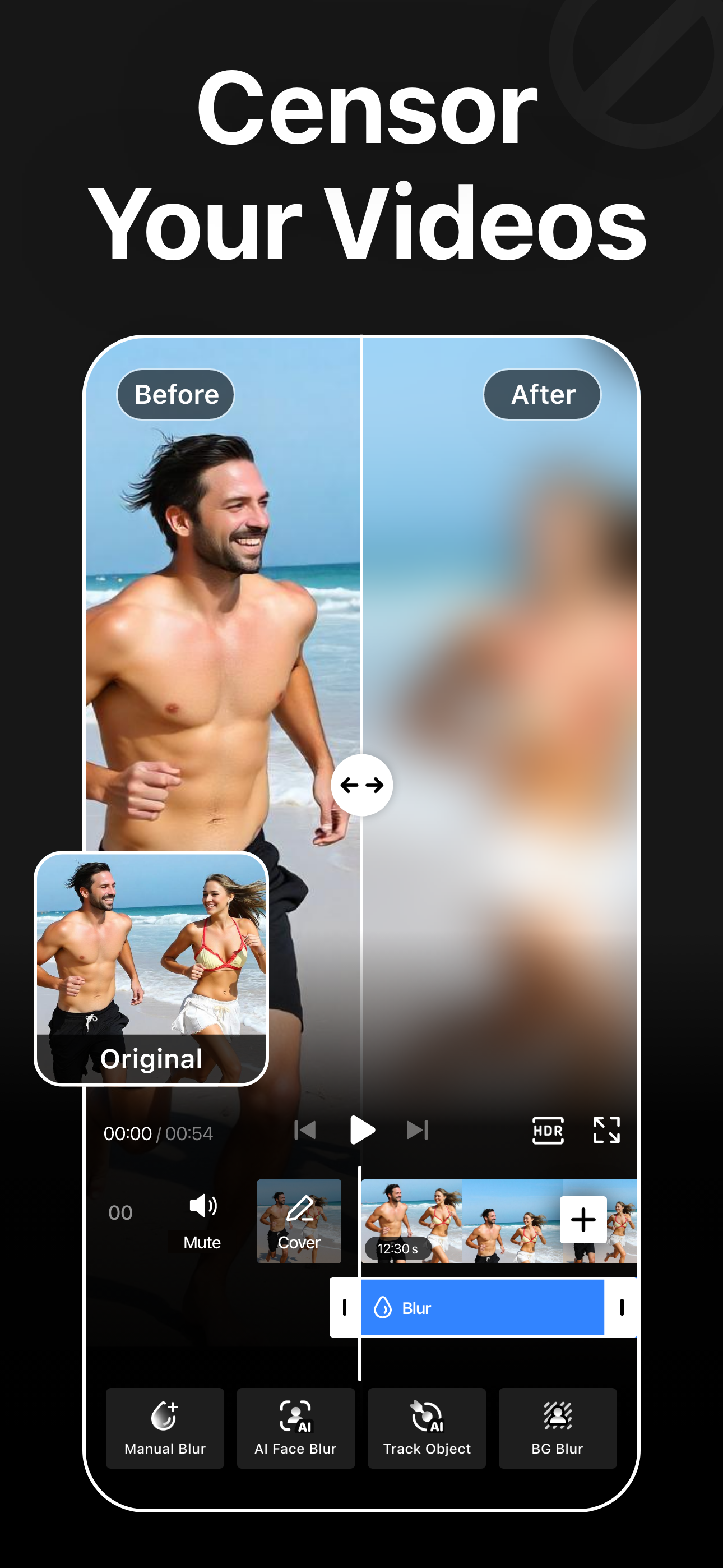
Blur Video is one of the best video mosaic + blurring apps for iPhone that lets you quickly hide people, faces, backgrounds, text, logos, car license plates, or any objects in a video like a pro.
This powerful mosaic+ app can censor unwanted objects or obscure any parts of a video. You can also apply various filters, add stickers and text, or draw directly to enhance the overall look of your videos.
Key Features:
- Gaussian and Pixelate blur effects
- Mosaic + blur faces in videos quickly and intelligently
- Detect and track moving objects using AI
- Automatically blur the background with AI subject detection
- Rectangle and oval mosaic shapes
- Use color, emoji, or photos to censor
- Adjust mosaic intensity with precision
- Use video keyframes to mosaic moving objects manually
- Apply multiple stickers over your video
- Add custom texts over video
- Export videos in 480p, 540p, 720p, 1080p and Ultra HD - 4K resolution
- Save in MP4 or MOV video format
- HDR export for enhanced video quality
- Remove metadata to protect data and privacy
- Share videos to Instagram, TikTok, Facebook, YouTube, and other apps
Robust Video Blurring
Blur Video app simplifies the whole mosaic and blurring process. Mosaic or censor faces or track objects in your videos with advanced artificial intelligence. Getting blurry faces or censored videos has never been this simple.
AI Face Blur
Automatically mosaic or blur faces in your videos using intelligent AI detection. The mosaic+ app instantly identifies faces and keeps them accurately tracked throughout the entire clip, ensuring consistent, seamless blurring without any manual effort or setup.
Mosaic Multiple Moving Objects
Blur multiple objects in your videos with ease. Use AI-powered tracking to automatically follow moving elements, or take full control with manual keyframe tracking. Simply place keyframes where you want to mosaic or hide content and fine-tune the position as the video plays for precise, professional results.
Smart AI Background Blur
Instantly blur the background while keeping your subject sharp and in focus. Advanced AI detection intelligently separates people from their surroundings and applies a smooth blur effect to the background.
How to mosaic + blur faces in a video using the Blur Video app?
With this app, you can get censored faces in videos without any hassle. Just follow the steps below to know how to blur faces in videos easily.
- Open the app
- Select a video from Photos
- Tap the AI Face Blur button to automatically mosaic all faces
- Select the blur for more control
- Choose the blur shape: rectangular or oval
- Change the blur effects from Overlay to Gaussian or Pixelate
- Adjust the intensity of your blur with the slider
- After getting the desired output, tap on the Export button to save the video
Auto-Renewable Subscription Terms:
Subscribe to get unrestricted access to all the features outlined above.
• Subscription Length: Weekly, Yearly
• Subscription with a free trial period will automatically renew to a paid subscription unless it is canceled at least 24 hours before the end of the trial period.
• Payment will be charged to iTunes Account at confirmation of purchase.
• Your Apple ID account will be charged for renewal within 24 hours before the end of the trial period.
• Manage and cancel your subscriptions by going to your account settings on the App Store.
• Any unused portion of a free trial period, if offered, will be forfeited when the user purchases a subscription to that publication, where applicable.
• By signing up for this subscription, you agree to our Terms of Use and Privacy Policy.
Terms of Use:
https://pixeltouch.net/blurvideo/legal/terms.html
Privacy Policy:
https://pixeltouch.net/blurvideo/legal/privacy.html
Disclaimer: This app is free to download, but you will be required to sign-up for an auto-renewing subscription to access the app's full functionality.
Classement dans le store
Le classement des stores est basé sur plusieurs paramètres définis par Google et Apple.
Toutes les catégories dans
États-Unis--
Photo & Vidéo dans
États-Unis--
Principaux concurrents & apps alternatives
Applications ayant une forte probabilité d'être utilisées par les mêmes utilisateurs, à partir du même store.

Blur-Video

Blur Video & Mosaic

Blur Video & Photo BlurEffect

Blur Video & Photo -AI Pix App
 Blur Video - AI Blur Maker VS.
 mai 17, 2026