

You’ve hit your search limit
Start your free trial to keep exploring full traffic and performance insights.
Get StartedAnálisis de la app Photo Editor Filters & Effects para 18 de mayo

Photo Editor Filters & Effects
- Inverse AI
- Google Play Store
- Gratis
- Fotografía
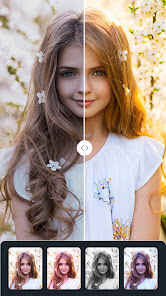
Chitro photo editor offers the best photo editing tools. You can turn your normal photo into an eye-catcher with charming filters, stylish effects, blur photos, double exposure, magic brushes, doodles, artistic texts, fun stickers, and many more. Moreover, you can directly share your artwork on Instagram, Whatsapp, Facebook, messenger, etc. Enjoy editing photos!
📸All-In-One Editor
✅ Effect: Apply trendy Neon, Glitch, Drip, Light fx, Color splash, overlay and motion photo effects.
✅ Filter: Easily get 100+ of free filters to decorate your photos.
✅ Collage: Collage maker with 100+ layouts and backgrounds.
✅ Blur: Use motion or zoom effect to blur the background or customize your style.
✅ Crop: Easily rotate, zoom and flip your photos, Insta 1:1 square for Instagram.
✅ Fonts: Add text on photo with 100+fonts to choose from.
✅ Add: Add photos to photos, unlock various layouts.
✅ Double Exposure: Blend two photos together.
✅ Adjustment: Adjust RGB color, brightness, contrast, warmth, saturation, fade, highlight, hue, grain etc.
✅ Sticker: Choose from huge collection of trendy and funny stickers or upload your own.
✅ Draw: Free hand drawing or choose from mosaic collection or draw objects from a huge collection.
✅ Share: Pictures in high quality to Chingari, Snapchat, Facebook, Josh, and telegram.
Photo Collage Maker:
+ Multiple collage layouts and styles to choose from
+ Option to customize the size and shape of the collage
+ Ability to add and edit photos within the app (e.g., cropping, rotating, etc.)
+ Photo editor with tools such as filters, stickers, and text
+ Option to set the collage as a wallpaper
+ Grid maker feature to create a grid of photos
+ Ability to customize the background color or pattern of the collage
Photo Filters and Adjustments:
+ Add style to your images with various photo filters such as Black&White, Sepia, Emboss, Posterize, gamma, Toons, Pixelation, Exposure, Haze, Zoom Blur, Sketch, and 100+ more filters.
+ Control the brightness level of the photo precisely with the curve.
+ Fine controls in the shadows, mid-tones, and highlights with tint adjustments.
+ Adjust the intensity of colors while using saturation.
+ Give a sharper appearance to your digital image.
+ Moreover, adjust the Brightness, Contrast, Hue, Warmth, Fade, etc of your image.
Photo effects:
+ Add stylish Neon, Splash, Drip, and Motion effects to give your photo an attractive and trendy look.
+ Do some lighting in your images or add overlay effects with charming photo effects like rainbow, fireworks, water overlay, gradient overlay, and many more.
Background:
+ Fit your image for posting on social media by adding some fascinating backgrounds like blur backgrounds, custom images, colors, gradients, or any beautiful picture from our collection.
+ Moreover, you can choose a stylish frame among beautiful frames to make it fancy.
Blur Photo
+ Apply motion or zoom blur effects to the background or custom your style.
Text
+ Add plain and stylized colored texts with 100+ fonts, arts, shapes, colors, gradients, backgrounds, etc.
Double Exposure:
+ Blending two images is fun. Create an extraordinary image by mixing two ordinary images.
Crop, Transform, Rotate, Flip:
+ Crop image to maintain proper ratio for different social media posts like Instagram, Facebook, YouTube cover, Twitter, etc.
+ Transform images along both axes or Rotate, and Flip images vertically or horizontally.
Fun Stickers:
+ Massive fun stickers add extra charm to your image and make your image more beautiful.
Draws
+ Retouch the image with blurring or mosaic effects.
+ Draw in style with attractive colors, shapes, and stickers on images.
Chitro photo editor is a simple but powerful photo editor. We hope you will enjoy photo editing with our app. If you have any problems or suggestions, feel free to let us know. Email: support@inverseai.com
Clasificación del uso de Photo Editor Filters & Effects
El rango de uso se basa en el algoritmo de Similarweb que calcula las instalaciones actuales y los usuarios activos durante un periodo de 28 días.
Todas las categorías en
Estados Unidos--
Fotografía en
Estados Unidos--
Principales competidores & aplicaciones alternativas
Aplicaciones con una alta probabilidad de ser utilizadas por los mismos usuarios, desde la misma tienda.

Photo Editor Pro - Square Pic

PicMaster - AI Photo Editor

Photo Studio: Photo Editor App

Lensa: photo editor & AI art
 Photo Editor Filters & Effects VS.
 mayo 18, 2026