

Relationship Map AI vs Like a Game,Anime! Radar Chart Usage & Stats
Simple Relationship Map is an app that automatically generates relationship maps based on your instructions using the latest AI technology. You can efficiently create various types of maps for your needs.
It is used in various situations such as:
- Creating relationship maps for people
- Creating organizational charts
- Creating industry-related diagrams
- Creating network maps
- Creating stakeholder relationship maps for projects
- Creating collaboration/competition diagrams for businesses
In addition, it can be used for any purpose that requires a relationship map, and there have been reports of various creative uses. If you are looking for a way to visualize relationships, please give it a try.
[Features]
- Intuitive operability
Ease of use is the most important factor. It runs smoothly, and you can intuitively edit your maps.
- Rich visual representation
You can customize the colors to match your preferences, making it easy to create visually appealing maps.
- Linking functionality
You can insert links, making it convenient to reference related websites within each item.
- Ready to use
You can use it immediately without registering an account.
- Multi-device support
It supports Google Drive integration, allowing seamless editing across multiple devices.
- Export and Share
You can export and share your relationship maps, and even edit them on a PC.
- Import
Exported files can be imported and edited.
- Text-based editing
Edit your relationship maps directly using Mermaid notation.
- Dark theme support
Since it supports a dark theme, it is also ideal for use at night.
- Apple App Store
- Free
- Utilities
Store Rank
- -
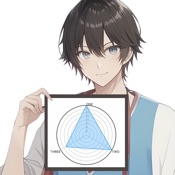
This application allows you to create a graph of statuses that are common in games and anime. Create cool radar charts.
And share it on SNS or save it as an image!
■Functions
1. function to display a radar chart
2. ability to add more axes to the radar chart
(You can increase the number of triangles, squares, pentagons, hexagons, heptagons, and even octagons.)
3, Image saving function
4, SNS share function
■Tester's Review
I am using the app to create a radar chart. This app is very convenient because I can easily create a radar chart by simply entering data. The created radar chart can be saved as an image and easily shared with others. I think this application can be used for presentations and report writing. Overall, I think this app is simple, easy to use, and recommended for creating radar charts.
(Ken,22, Student)
- Apple App Store
- Free
- Utilities
Store Rank
- -
 Relationship Map AI VS.
  Like a Game,Anime! Radar Chart
January 16, 2026