

Pixel Art - 8 Bit Painter vs Go Pixel Art: Color by Number Usage & Stats
Discover a new form of artistic expression with our Pixel Art app. With an intuitive interface and powerful tools, you can create stunning pixel art anywhere.
Features:
- Create your own Pixel Art designs in 8-bit or 16-bit style
- Make a design from scratch, selecting the pixel size you would like, and let your imagination run wild.
- You can also upload your own images to turn them into pixel art automatically or paint over your own photos.
- If you run out of ideas, you can also find some Pixel Art design templates
- Complete editor: Pencil tool, create straight lines, squares, circles, fill a whole area with the paint can, etc.
- If you make a mistake, don?t worry, you can undo your last actions with just a click.
- Zoom function to work on the finest details.
- Save and share your masterpieces with friends and family.
Download now and dive into the world of Pixel Art!
- Apple App Store
- Free
- Entertainment
Store Rank
- -
Create Your Own Pixel Art Gallery with Go Pixel Art!
Feeling stressed? Looking for a creative way to heal your mind? Go Pixel Art is here to offer the perfect escape!
Go Pixel Art is more than just a coloring game.
It allows you to complete beautiful art pieces and build your very own art gallery, offering a unique experience that combines creativity and a sense of accomplishment.
◇◆ Why Everyone Loves Go Pixel Art ◆◇
Simple and Intuitive Gameplay
• Follow the numbers to color effortlessly. Anyone can enjoy it!
• Experience the joy and satisfaction of completing a masterpiece with no complicated rules.
Your Personal Art Gallery
• Go Pixel Art lets you showcase your completed works in one of 100 themed art galleries.
• Each gallery can display your finished works, letting you curate your own personal exhibition.
Endless Content
• Explore hundreds of pixel art designs across various themes and difficulty levels.
• From cute animals to stunning landscapes and imaginative patterns, there’s something for every taste.
Rewarding System for Extra Fun
• Earn coins as you complete artworks to unlock new galleries.
• Expand your creative space by collecting various themed galleries, and enjoy the fun of building your collection.
When to Play Go Pixel Art:
• Need stress relief? >> Clear your mind and soothe your soul with simple coloring.
• Looking for a creative boost? >> Unleash your inner artist by completing beautiful designs.
• Want to share the fun? >> Show off your finished works and galleries to friends and enjoy the joy of coloring together.
Experience the Unique Magic of Go Pixel Art:
• Complete your first pixel art and feel the harmony of colors come to life.
• Gather coins and build your very first gallery.
• Continue creating new masterpieces and expand your personal art collection.
Download Now!
▶ Experience the joy of art anytime, anywhere with Go Pixel Art.
▶ Create new works at your fingertips and prepare to design stunning galleries.
▶ Build your pixel art world with Go Pixel Art. Let your creativity shine!
- Apple App Store
- Free
- Entertainment
Store Rank
- -
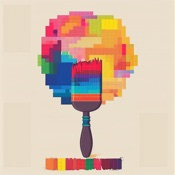 Pixel Art - 8 Bit Painter VS.
  Go Pixel Art: Color by Number
January 13, 2026