

AR Drawing - Trace & Sketch vs AR Drawing - Paint & Draw Usage & Stats
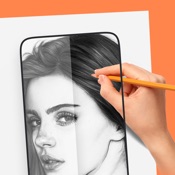
Do you love drawing and creating amazing artwork? Do you want to unleash your creativity in a new and exciting way? If yes, then you should try our AR Drawing app, the ultimate app for augmented reality drawing! Turn your ideas into art—fast. Import a photo or pick from our growing template library, project it with AR onto paper or canvas, and trace clean outlines in minutes. Convert to line art, add text art with stylish fonts, and record your process to share.
What you can do
AR Projection & Tracing — Align, scale, rotate, and trace photos or templates on any surface.
Photo → Line Art — Convert imported images to crisp outlines, perfect for tracing.
Template Library — Anime, portraits, animals, cars, nature, tattoos, lettering, and more.
Text Art Maker — Type words in cool fonts, then trace them as eye-catching designs.
Record & Share — Capture a time-lapse of your drawing process with one tap.
Beginner Friendly — Clear controls, quick setup, great for kids, students, and hobbyists.
Why artists love it
Simple, accurate AR alignment for real-world drawing
Helps you learn proportions and line work faster
Works great for practice, gifts, school projects, murals, and signage
Get started today
Bring your creativity into the real world with AR Sketch—your pocket drawing assistant for tracing, sketching, and learning.
Terms of Use
https://ardrawing.web.app/terms.html
---
AR drawing
augmented reality drawing
3D drawing
3D art
3D sketch
AR tutorial
AR library
- Apple App Store
- Free
- Graphics & Design
Store Rank
- -
AR Drawing - Paint & Draw in Augmented Reality!
Unleash your inner artist with AR Drawing, the ultimate app to sketch, trace, and paint using the power of Augmented Reality (AR)! Whether you're a beginner or a professional, easily create beautiful drawings in real-world space with just your phone.
Features:
Draw and Paint in AR:
Create amazing sketches directly onto your environment!
Easy Tracing:
Trace any image in 3D space with precision.
Perfect for Beginners:
No special skills needed — just point, trace, and draw!
Custom Image Import:
Upload your own pictures and turn them into AR sketches.
Realistic Painting Tools:
Choose from brushes, pencils, and colors.
Save & Share:
Capture your creations and share them with friends instantly!
Easy to Use:
Start drawing in AR at no cost. Premium features available!
Why You'll Love AR Drawing:
-Fun and easy for kids and adults
-Practice your art skills anytime, anywhere
-Great tool for learning how to draw accurately
-Boost your creativity with Augmented Reality
-Works indoors and outdoors!
How to Use:
1. Open the app and choose an image or upload your own.
2. Place the image in your environment using AR.
3. Start tracing and drawing with ease!
Download AR Drawing now and turn your world into a canvas! Start sketching in AR today!
Terms of Use :- https://ardrawingpaint.blogspot.com/2024/08/terms-of-use.html
Privacy Policy :- https://ardrawingpaint.blogspot.com/2024/08/subscription-privacy-policy.html
- Apple App Store
- Free
- Graphics & Design
Store Rank
- -
AR Drawing - Trace & Sketch vs. AR Drawing - Paint & Draw ranking comparison
Compare AR Drawing - Trace & Sketch ranking trend in the past 28 days vs. AR Drawing - Paint & Draw
Rank
AR Drawing - Trace & Sketch vs. AR Drawing - Paint & Draw ranking by country comparison
Compare AR Drawing - Trace & Sketch ranking trend in the past 28 days vs. AR Drawing - Paint & Draw
All categories
Graphics & Design
Compare to any site with our free trial
 AR Drawing - Trace & Sketch VS.
  AR Drawing - Paint & Draw
January 12, 2026