

Macro Lathe Simulator vs Drill Calc Usage & Stats
This software is also available for desktop platforms (Windows, MacOS, and Linux). Please feel free to contact me for more information.
Macro Lathe Simulator is an advanced CNC code editor and backplotter for G-Code (RS-274) and Fanuc Macro B programs for 2-axis lathe machines. This app comes with one of the best macro debuggers (shows all math and logical calculations while executing the program).
Viewport information:
- simulation (play, stop, next, reset)
- zoom
- shift image
- show/hide fast motion
- simplified representation of tools (max 24 tools)
- metric/imperial mode
G-code/Fanuc/Haas/Mazak ISO support:
- absolute, incremental and polar mode
- G28, G30 and G53(home position)
- G70 finishing cycle
- G71 rough machining cycle
- G72 facing cycle
- G73 pattern repetition cycle
- G74 face grooving cycle
- G75 grooving cycle
- G76/G78 threading cycle
- G90 turning cycle
- G92 threading cycle
- G94 facing cycle,
- G32/G33 thread cutting (straight and tapered)
- M98 subprogram (multiple formats)
- circular interpolation supported by using (I, K or R)
Macro (Fanuc Custom Macro B) support:
- keywords: IF, THEN, GOTO, WHILE, DO, END
- math functions supported: sin, cos, tan, asin, acos, atan, sqrt, abs, round, fix, fup, ln, exp, pow
- local, common variables and some of the most popular system variables:
Debugger:
- showing current line
- assigned and created variables
- math and logical calculations in line
- for IF and WHILE statement shows the actual value (true or false)
Code editor:
- formatting
- undo
- adding/removing %
Files:
- new project
- open (file extension supported: txt)
- append(to add a subroutine locally)
- save
- save as (file extension supported:nc, cn, ncc, cnc, eia, txt)
Compatibility:
Fanuc 0, Fanuc 6, Fanuc 10, Fanuc 11, Fanuc 12, Fanuc 15, Fanuc 16, Fanuc 18, Fanuc 20, Fanuc 21, Fanuc 30i, Fanuc 31i, Fanuc 32i, Fanuc 35i, Haas(one line format), Haas(two line format), Mazak ISO and others using CNC macros based on Fanuc Custom Macro B.
Languages:
English, Français, Deutsche, Italiano, Español, Suomi, Nederlandse, Svenska, Norsk, 한국어,日本語, Dansk, Polski, Magyar, Pусский, Português, 中文, Türkçe, Melayu, हिन्दी, اَلْعَرَبِيَّةُ, Română, Lietuvių, Latviešu, Eesti keel, Slovenský, Český, Ελληνικά, Tiếng Việt
- Apple App Store
- Paid
- Utilities
Store Rank
- -
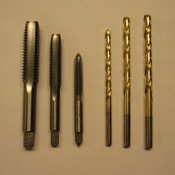
Need to find the right drill bit size for a hole? Drill Calc calculates the correct drill bit size to use for threaded holes, based on the bolt (tap) diameter and thread pitch and percentage, for both inch and metric threads. Close and tight fit hole sizes for many popular drill sizes are also displayed.
It also has tables of standard inch fractional and numeric drill bit sizes, as well as complete information for various pipe sizes. There is also detailed information about the commonly used sizes of wood screws.
Buy your copy of Drill Calc today, and put away your drill chart.
- Apple App Store
- Paid
- Utilities
Store Rank
- -
 Macro Lathe Simulator VS.
  Drill Calc
January 15, 2026