

Pencil Sketch - Image Editor vs Photo to Sketch : Pencil Usage & Stats
An easy-to-use app to make you an artist by creating pencil sketch of your photos!
You can pick a picture from your album or capture one from your camera to generate the sketch. Both black-white and colorful sketch results can be easily created by JUST one button click. Saving images can be done quickly by a single touch of a button. Sharing pics are also supported.
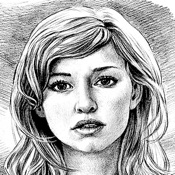
There are three styles included in the app: "Sketch", "Doodle" and "Hatch". "Sketch" style creates accurate pencil sketches with smooth edges and curves, which is very good for human portrait photos. "Doodle" style converts a photo into a cartoon style painting. "Hatch" will work generally on any kind of photos, as it is a simple style which generates a cross-hatching texture on photos. Several photo frames are also included in the app so that you can easily apply them to your sketch results.
A powerful photo editor is also built-in within this app, which includes many useful and fast manipulations of your photos. The sketch and cartoon results can be easily enhanced within the editor by using features like: photo filters, fun stickers, photo frames, brightness/contrast/saturation adjustment, etc.
- Apple App Store
- Free
- Photo & Video
Store Rank
- -
Turn any photo into a beautiful pencil sketch, outline drawing or cartoon art with one tap.
Photo to Sketch : Pencil uses advanced AI to convert your pictures into hand-drawn artwork in seconds.
Create Stunning Art Instantly
• Realistic pencil sketch
• Outline & line art
• Cartoon & comic style
• Face sketch with smart detail enhancement
• Picture to drawing converter
• Artistic photo art filters
Artistic Effects & Filters
Choose from 30+ sketch styles, color pencil effects, cartoon filters, crayon art and more.
Each effect is designed to keep your face details sharp while giving a clean artistic look.
Editing Tools
Brightness • Contrast • HSL • Blur • Sharpen • Background fade • Smoothness • Grain
Export & Share
• HD, Full HD, 2K & 4K export
• Save or share to Instagram, WhatsApp, Snapchat, Facebook
Premium Features
Monthly $4.99 ,Lifetime $39.99 , HD Export $4.99 , Watermark Removal $2.99
Privacy policy : https://www.iubenda.com/privacy-policy/57988305
Terms and Conditions : https://www.iubenda.com/terms-and-conditions/57988305
- Apple App Store
- Free
- Photo & Video
Store Rank
- -
 Pencil Sketch - Image Editor VS.
  Photo to Sketch : Pencil
January 14, 2026