

Translucent - Tracing App vs Ricalko: Camera Lucida Artwork Usage & Stats
Transform Your Phone Into a Professional Light Box + Premium Image Library
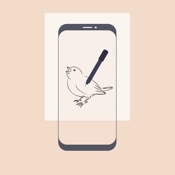
Translucent turns your device into a powerful digital light box with access to 222+ professional tracing images, perfect for artists, illustrators, designers, and hobbyists who want to improve their drawing skills.
KEY FEATURES
Premium Image Library
• 222+ curated tracing images across 6 categories: Animals, Nature, Objects, People, Fantasy, and Architecture
• Beginner to Advanced difficulty levels
• High-quality line art optimized for tracing and learning
• New images added regularly with lifetime access
• One-time purchase - no subscriptions!
Advanced Camera Overlay
• Real-time transparent overlay system
• Adjustable opacity controls (0-100%)
• Live camera feed for accurate positioning
• Works with any surface: paper, canvas, wood, fabric, and more
Professional Drawing Tools
• Pinch-to-zoom with 20x zoom capability
• Smooth rotation controls
• Grid overlay (3x3, 4x4, 5x5)
• Grayscale and high-contrast filter modes
• Flip/mirror image tools
• Flash/torch support for low-light environments
Gallery & Image Management
• Import from Premium Library
• Import your own images from photo library
• Support for reference photos, sketches, templates, and patterns
PERFECT FOR:
• Traditional artists learning proportions and perspectives
• Calligraphers practicing letterforms
• Fashion designers sketching patterns
• Tattoo artists transferring designs
• Students studying anatomy and figure drawing
• Crafters working on DIY projects
• Comic artists perfecting character poses
• Embroidery and quilting pattern transfer
WHY CHOOSE TRANSLUCENT?
Learn Faster - Access professionally curated images designed for skill progression. Tracing helps develop muscle memory and understanding of proportions—a proven method used by master artists throughout history.
Save Time - No searching for reference images. Our premium library provides instant access to high-quality tracing content.
Portable Studio - No need for bulky light boxes or expensive equipment. Your phone becomes a professional tool you can use anywhere.
Beginner-Friendly - Intuitive interface designed for all skill levels, from complete beginners to experienced professionals.
PREMIUM LIBRARY CATEGORIES
Animals - Cats, dogs, birds, wildlife, marine life, insects
Nature - Flowers, trees, leaves, landscapes, botanical studies
Objects - Still life, everyday items, geometric forms
People - Portraits, figures, hands, facial features
Fantasy - Dragons, mythical creatures, magical elements
Architecture - Buildings, landmarks, structural studies
*Each category includes beginner, intermediate, and advanced images*
EDUCATIONAL VALUE
Tracing isn't cheating—it's a learning tool! Artists have used tracing methods for centuries to:
• Study anatomy and proportions
• Learn perspective and composition
• Develop hand-eye coordination
• Build confidence in drawing skills
• Create professional-quality finished work
• Speed up the creative process
TECHNICAL EXCELLENCE
• Optimized performance for smooth real-time overlay
• Minimal battery consumption
• Works offline—no internet required
• Regular updates with new features and images
• Responsive customer support
• Full dark mode support
PREMIUM ACCESS
Unlock the full library for $4.99 - no recurring charges, no subscriptions. Get lifetime access to all current and future images. Free version includes basic camera overlay and ability to import your own images.
Transform your artistic practice today. Perfect for drawing, sketching, painting, illustration, calligraphy, tattoo design, fashion design, embroidery, quilting, craft projects, art education, and more.
Download Translucent now and start creating with confidence!
Terms of Use: https://aylan-apps.com/privacy/translucent-tracing/terms-of-service
Privacy Policy: https://aylan-apps.com/privacy/translucent-tracing/privacy-policy
- Apple App Store
- Free
- Graphics & Design
Store Rank
- -
Ricalko lets you create incredible artwork, see how your drawings take shape, like magic! It is great for beginners who want to learn drawing and it is perfect for advanced users who want to improve even more!
Ricalko has many smart features that let you achieve the results your aiming to, but in few words it is able to virtually project photos, so you can trace them on a paper sheet, an easel or on any other surface! You don't have to be a professional artist to reach amazing results.
How is it able to do that? In normal mode you have to put your device onto a stand (DIY works too, like a simple glass), with the camera pointing to a sheet of paper below for example. On your screen an overlay will be shown and you will be able to see both the photo and your hand below so you can trace it! See below for more details...
CRAFT REALISTIC ARTWORK FROM ANY PHOTO
You can choose any photo and then create art from it.
Pencil and paper? Brush and watercolours?
You choose!
LEARN TO DRAW AND SEPARATE LAYERS
Split photos to different layers, in colors or grayscale, see them one by one individually and trace them on your art to create the final result.
Perfect for learning!
CREATIVE FILTERS
Turn your photo into a drawing, a comic or apply a posterisation, Ricalko filters are great for creativity.
PERSPECTIVE MODE
You don't have to keep your device perpendicularly if you don't have a stand, you can also keep it angled, perspective mode will remove any distortion and you will be able to create your artworks without any particular effort. You just have to set it with the guidelines helper image!
AR MODE
Don't like keeping your device still?
You don't have to with the augmented reality. You can select a marker, the app will recognise it and place your photo virtually next to it, so you can trace it!
USE ANY CAMERA
You can use any camera on your device, wide angle, zoom lens, ultra wide angle or even the front camera, this one with the perspective mode and a reflector (to be purchased in online stores, such as OSMO and not included).
ZOOM TO BE PRECISE
After you have setup your environment you can zoom on the area where you are drawing to see even more clearly, with natural gestures like pinch to zoom or by moving your device closer in AR Mode.
PREMIUM CUSTOMER SUPPORT
Need help? Have a suggestion? See it included in future releases and drop an email to support@genovasoftworks.com
REQUIREMENTS
Ricalko does not have any particular requirement since supports iOS 14+ devices only. If you can download it, it will work on your device.
A printer is suggested in order to print markers for AR Mode and the guidelines image for Perspective mode, even if they could also be displayed on an additional supporting device.
A subscription is required.
Terms and Privacy Policy can be found at https://www.genovasoftworks.com/terms.php.
For any question or help drop an email to support@genovasoftworks.com.
- Apple App Store
- Free
- Graphics & Design
Store Rank
- -
 Translucent - Tracing App VS.
  Ricalko: Camera Lucida Artwork
January 16, 2026