

ActivityRoute vs Route Tracking light Usage & Stats
App Overview
GPS function makes it easy to record your current location
Recording continues in the background even after the app is closed
Recorded data can be output in GPX or CSV format
GPX and CSV files can also be read. Easily share data
Add comments to save your feelings at the time
Simple operation, anyone can use it right away
App Introduction
This app is a GPS log app that records the route you took while driving, touring, hiking, etc.
"Where did I go today?" "I want to go to that scenic spot again!"
You can keep such feelings firmly.
Usage is very simple.
Just tap the start button and the location information will start recording immediately.
All you have to do is move to your destination. Even if you close the app, it will continue recording in the background.
Not only can you see your current location, but you can also check the altitude, distance traveled, and speed on the screen.
If there is a place you are interested in, we recommend using the comment function to leave your impressions and information on the spot.
Records are saved in the device and can be viewed at any time in a list.
You can also output data in GPX or CSV format, and import and share data from other devices or friends.
You can also disable sleep on the main screen and switch to speedometer mode from the app settings.
We aim to create an app that is simple, yet powerfully useful.
Please give it a try.
If you like it, we would appreciate it if you would support us with a review.
We also welcome your requests and opinions. We will use them in future updates.
Subscriptions have been added. Your support will encourage further development.
Please read TERMS
https://www.apple.com/legal/internet-services/itunes/dev/stdeula/
- Apple App Store
- Free
- Utilities
Store Rank
- -
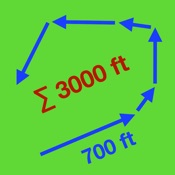
This is a map based route tracking application with some distance measurement options. Enable location to track & measure your route. When you press the record button, it starts tracking as you walk or ride. Press the stop button to suspend recording, and the pause button will allow you to start a new section within the same set.
Tap on the arrows to remove sections, tap on the current start point to remove it, manage your route sections by connecting gap endpoints and relocate your whole route.
This app provides limited export for routes as GPX, comma separated values (CSV) files or display it as a PDF document. Use this app to open all GPX files, and previously exported CSV ones.
- Apple App Store
- Free
- Utilities
Store Rank
- -
 ActivityRoute VS.
  Route Tracking light
January 12, 2026