

Sun Compass App vs Sun/Moon Compass Usage & Stats
Use the old boy scout method and turn your iPhone, iPad or Apple Watch into a sun compass. Just point the sun symbol to the sun and the compass rose points north. You can add a target angle to easily follow the direction you want.
Features:
- Drag the compass to turn it freely
- Touch the compass to make it jump to the 4 major directions
- Use a two finger drag to turn the target
- Share the sun compass image with your friends
- See whether its day or night
- The compass is not affected by magnetic anomalies
- iPad multitasking (split-view) support
- Apple App Store
- Paid
- Travel
Store Rank
- -
Find the moon with this Moon Compass. By determining the exact lunar data, depending on their location, the position of the moon is shown in the compass. At an azimuth of e.g. 90 ° rotation of the moon in visible to the east. A second view shows the moon and the compass on a map. Exact lunar data shows another window.
New: Sun Compass
Functions:
- Compass Ring
- 360 ° image (night sky with moon) in the middle
- In degrees and cardinal direction (N, NW, W. ..)
- Switch to Map with current position
- Zoom in map
- Moon Data
Moon data:
- City Name
- Moon phase date in the current week
- Moonrise, Moonset, culmination of the moon
- Moon Phase
- Age, height, azimuth direction +
- Moon in the constellation ...
- Zodiac (Zodiac Sign)
- Distance in kilometers
- Weather conditions (temperature and weather description)
- Apple App Store
- Paid
- Navigation
Store Rank
- -
Sun Compass App vs. Sun/Moon Compass ranking comparison
Compare Sun Compass App ranking trend in the past 28 days vs. Sun/Moon Compass
 Sun Compass App- -
Rank
Sun Compass App vs. Sun/Moon Compass ranking by country comparison
Compare Sun Compass App ranking trend in the past 28 days vs. Sun/Moon Compass
All categories
Travel
Compare to any site with our free trial
Sun Compass App VS. 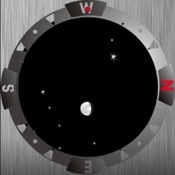 Sun/Moon Compass
January 12, 2026