

2月26日 的 Text behind image 應用程式分析

Text behind image
- runnableapps
- Google Play 商店
- 免費版
- 攝影
Add text inside image to unlock the magic of stunning visuals with Text Behind Image editor, the ultimate app for creating eye-catching photos or videos that blend text seamlessly behind subjects. Embrace the latest design trend that's captivating YouTubers, influencers, and major brands, and elevate your images to a new level of creativity and engagement with Image text layering app.
Key Features:
- Automatic Subject Detection: Our advanced AI technology automatically identifies the primary subjects in your photos, ensuring your text fits perfectly behind them with just a tap.
- Simple Text Editing: Easily add and customize text with a wide variety of fonts, colors, and styles to match your creative vision. Move text with fingers between image layers.
- Manual Adjustments: Fine-tune your text placement with intuitive drag-and-drop functionality, giving you complete control over your design.
- Layer Management: Effortlessly manage layers to decide what elements stay in front and which ones blend into the background.
- Multiple Export Options: Save your creations in high-resolution for social media, marketing materials, or personal keepsakes.
- Blur background with Text underlay editor
- Instant WOW Factor: Transform ordinary photos into extraordinary visuals that grab attention and make a lasting impression with Picture text masking
- Versatile Use: Perfect for social media posts for Instagram, YouTube thumbnails, marketing campaigns, personal projects, just add text in photo layers.
- User-Friendly Interface: Designed for both beginners and pros, our easy-to-use interface ensures a smooth and enjoyable editing experience with Overlay caption editor.
- Regular Updates: Stay ahead of design trends with frequent updates and new features that keep your creativity flowing.
- create cover images for videos
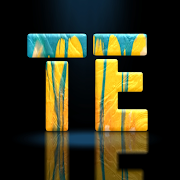
- 3D text effect using Hidden text image
A text behind image editor app can be quite versatile and useful in various scenarios. Here are ten potential use cases:
1. **Social Media Posts**: Enhance your social media content by embedding text behind images to make your posts more engaging and visually appealing.
2. **Marketing Campaigns**: Create eye-catching advertisements and promotional materials where text behind images can highlight key messages or calls to action.
3. **Event Invitations**: Design unique and creative invitations for events, such as weddings, parties, and corporate gatherings, by incorporating text behind images.
4. **Digital Art**: Artists and graphic designers can use the app to create innovative digital art pieces where the interaction between text and images adds depth and intrigue.
5. **Personal Blogs**: Bloggers can make their posts more visually interesting by integrating text behind images, making the content more engaging for readers.
6. **Website Design**: Web designers can use text behind images to create visually appealing website headers, banners, and hero sections that stand out.
7. **Presentations**: Make your slides more dynamic and engaging by incorporating text behind images in PowerPoint or other presentation software.
8. **eBooks and Magazines**: Enhance the visual appeal of electronic books and digital magazines by creatively embedding text behind images.
9. **Educational Materials**: Teachers and educators can create more engaging worksheets, posters, and digital learning materials by using text behind images to highlight important information.
10. **Product Packaging**: Design unique and visually appealing labels and packaging for products by integrating text behind images to convey brand messages and attract consumers.

Text behind image 使用排名
基於 Similarweb 的算法,根據過去 28 天的安裝數和活躍用戶數進行計算。
所有類別 在
美國--
攝影 在
美國--


 Text behind image VS.
 2月 26, 2026