

Working Hours 4b vs Sectograph. Day & Time planner Usage & Stats
Are you tired of always write on a piece of paper and at the end of the month to deal with the calculator ?
Let Working Hours 4b help you !
Working Hours 4b through an easy and intuitive interface allows you to enter your work hours that may contain:
- Regular hours
- Extra: Early entry and Overtime
- Pause (paid or unpaid)
- Bonus
- Expense
- An icon and a note
You can calculate your gain:
- Monthly
- Weekly
- Biweekly - Fortnightly (14 or 15 days)
- Annual
- Custom interval
With the calendar inside you can enter, edit and observe the intervals of your working hours for each month by consulting the details divided by hours and earnings:
- Regular hours
- Extra: Early entry and Overtime
- Paid pause
- Unpaid pause
- Total
- Holidays
- Notes
Paid/Unpaid indicator: With the Paid/Unpaid indicator you can track your paid or unpaid working hours. Never forget again any payment !
Work intervals can cover a maximum of 48 hours which gives you the ability to insert both the daily hours, or night.
Holidays:
You can insert Holidays and Sick leave into the calendar and count them any time.
Export your data in any format do you want and send it directly with any app do you want!
The supported formats are:
- Text
- CSV
- PDF
Do you have multiple ranges that are substantially the same for different days of the week but that may change for very little?
No problem! With this app you can insert multiple templates and add them are your preferred date!
Do you have multiple jobs or clients?
Multiple Jobs: Add how many jobs do you want with different colors and notes and distinguish the events into the calendar At a glance!
Statistics:
You can see your earnings or your annual hours (month by month) and monthly (day by day) through the graph. The events components can be configurate at will!
Notifications:
Never forget to add the worked hours!
You can choose a time and select the days of the week. The application will notify you every time!
Floating badge:
Don’t you remember when you get to work? With the floating badge on your home you have the opportunity to mark the time of entry, pause, start of extra hours and insert the interval at the end of the period in which you worked.
Data Synchronization:
With an account you can synchronize multiple devices in real time! You don’t like accounts? Login as anonymous !
For bugs, errors and ideas join the community:
Facebook: https://www.facebook.com/working.hours.4b
Twitter: https://twitter.com/workingHours4b
Or send an email in the Contact section of the options!
- Google Play Store
- Free
- Productivity
Usage Rank
- -
🎯 Sectograph is a new, intuitive way to view your calendar and daily schedule.
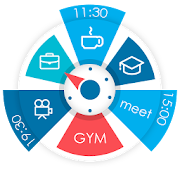
It shows your day as a circular planner — a 12-hour clock face — with events and free time between them.
A visual time planner for time blocking, time management, and a clearer sense of time.
⚙️ HOW IT WORKS
Sectograph is lightweight, privacy-friendly, and works with your existing calendars on the device.
It overlays your day planner (routine, local calendar, Google Calendar) onto a clock-face timeline and automatically calculates:
• upcoming events
• time blocks and durations
• gaps between events and your real free time
Everything updates as time passes, keeping your schedule always current.
Not a to-do list — it’s a calendar-based schedule planner that visualizes what’s already on your calendar.
👀 HOW IT LOOKS
Like an analog clock your brain already understands — but with your day mapped onto it as sectors.
• Events appear exactly in the hours they happen (a radial / circular calendar view)
• Each sector width matches the event duration (a true pie-chart schedule)
• See gaps and the time from “now” to the next event at a glance
A clock planner / visual planner that helps you read your day instantly.
🎯 USE CASES & IDEAS
Use Sectograph as a day planner, daily planner, time planner, or routine planner for time management and daily schedule planning.
Great for time blocking (deep work, meetings, breaks), work/shift schedules, class schedules, travel itineraries, and Pomodoro planning (place focus sessions as time blocks).
If you like Chronodex, you’ll feel right at home.
🔄 SYNC & CALENDARS
Reads events from Google Calendar and your local device calendar; Microsoft Outlook calendar: beta.
📱 HOME SCREEN CALENDAR WIDGET
Keep your schedule always visible with a calendar widget / home screen widget.
• Automatic updates (including a clock refresh once a minute)
• Tap a sector to open details and quick actions
• Flexible visual settings + free widget themes: Dark / White / Gray
• Optional: light/dark app theme, 24-hour mode & extra zoom (1–12h), month/day grid views
⌚ WEAR OS (SMARTWATCH SUPPORT)
A true Wear OS calendar / smartwatch calendar at a glance:
• Watch app with an interactive widget
• Tile for quick access to the circular planner
• Watch face for continuous schedule awareness (installed separately)
• Large complication to enhance some third-party watch faces
🧠 HELPFUL FOR ADHD & “TIME BLINDNESS”
Designed to make time easier to grasp — especially if you struggle with time blindness, which is common for people with ADHD.
(Sectograph is not a medical app.)
✅ Install Sectograph and get a calm, visual overview of your day.
- Google Play Store
- Free
- Productivity
Usage Rank
#7,798
Working Hours 4b vs. Sectograph. Day & Time planner ranking comparison
Compare Working Hours 4b ranking trend in the past 28 days vs. Sectograph. Day & Time planner
Rank
Working Hours 4b vs. Sectograph. Day & Time planner ranking by country comparison
Compare Working Hours 4b ranking trend in the past 28 days vs. Sectograph. Day & Time planner
All categories
Productivity
Compare to any site with our free trial
 Working Hours 4b VS. Sectograph. Day & Time planner
March 1, 2026