

Control Center iOS 15 vs dynamicSpot - Dynamic Island Usage & Stats
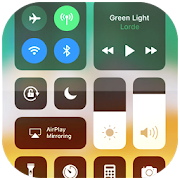
Control Center iOS 15 gives you instant access to the Camera, Clock, Record the screen, Screenshot and more settings like to iOS X, iOS XS.
How to use: https://www.youtube.com/watch?v=DGTF7PZoVTg
To Open Control Center iOS 15
- Swipe up, swipe down, swipe right or swipe left from the edge of screen.
To Close Control Center iOS 15
- Swipe up, swipe down, swipe right, swipe left or tap the top of the screen, or press the Back, Home, Recent button.
If you want to change how you access Control Center on your device, open Control Center application.
Quickly change settings and open apps:
With Control Center, you can quickly access multiple settings and apps.
- Airplane Mode: Use Airplane Mode to instantly turn off Bluetooth, Wi-Fi, and cellular connections on your android device.
- Wi-Fi: Turn on Wi-Fi to browse the web, stream music, download movies, and more.
- Bluetooth: Connect to headphones, car kits, wireless keyboards, and other Bluetooth-enabled devices.
- Do Not Disturb: Silence calls, alerts, and notifications that you receive while your device is locked.
- Portrait Orientation Lock: Keep your screen from rotating when you move your device.
- Adjust brightness: Adjust the brightness of your display from any screen.
- Flashlight: The LED flash on your camera doubles as a flashlight, so you can get extra light when you need it.
- Alarms and Timer: Set an alarm, timer, or stopwatch, or check the time in another country or region.
- Calculator: Tap numbers and functions in Calculator, just like a standard calculator.
- Camera: Never miss a moment to take a picture with quick access to your camera.
- Control audio: From here, you can quickly play, pause, and control volume of your favorite song, podcast, and more.
- Record Screen: Record any action in your phone. (Support android 5.0 above only)
- Screenshot: Capture screen (Support android 5.0 above only)
With Control Center app, you can customize more style, such as size, color, position, vibration and more like to iOS XS.
NOW, CONTROL CENTER HAS BEEN SUPPORTED:
- Assistive Touch like to https://play.google.com/store/apps/details?id=com.luutinhit.assistivetouch
- Launcher iOS like to https://play.google.com/store/apps/details?id=com.luutinhit.ioslauncher
And if you have any problems with Control Center application, please contact to me with email: andywill.itplus@gmail.com.
Thank you so much for using my app!
- Google Play Store
- Free
- Tools
Store Rank
- -
Do you want to experience the Dynamic Notification Island on your Android device? With dynamicSpot, you can easily achieve this!
dynamicSpot brings Dynamic Notification popups, inspired by cutting-edge notification systems, to your Android device. Access recent notifications or phone status changes seamlessly and get notified of new alerts like with a notification light or LED.
The app replaces standard Android notification popups with a sleek, modern and dynamic version. Tap on the small black Dynamic Notification Island popup to expand it with Dynamic Animations and view more notification details, and reply directly from the popup!
With the "Live Activities" feature, you can access your favorite apps directly from the Dynamic Notification Island popup, all just one tap away!
While other systems may lack customization, dynamicSpot allows you to tailor the appearance, with dynamic colors, multicolor Music Visualizer, and much more. Choose when to show or hide the Dynamic Notification popup and select which apps or system events should appear.
Compatible with almost all apps that use Android's notification system, including messaging and Dynamic Timer and music apps!
Dynamic notifications with dynamicSpot — better than any notification light or system notification popups!
MAIN FEATURES
• Dynamic Notification Island
• Live Activities (app shortcuts)
• Floating island notification popups
• Send notification replies from popup
• Notification light / LED replacement
• Dynamic timer countdown
• Animated music visualizer
• Battery charging or empty alarm
• Customizable interaction
• Selcet notification apps
MUSIC ISLAND
• Play / Pause
• Next / Prev
• Touchable seekbar
• Custom actions support (like, favorites...)
SPECIAL DYNAMIC EVENTS
• Timer aps: Show running timer
• Battery: Show percentage
• Maps: Show distance
• Music apps: Music controls
• More to come soon!
Disclosure:
The app uses the AccessibilityService API to display a dynamic notification island popup to enable multitasking.
No data is collected or shared using the AccessibilityService API!
- Google Play Store
- Free
- Tools
Store Rank
- -
Control Center iOS 15 vs. dynamicSpot - Dynamic Island ranking comparison
Compare Control Center iOS 15 ranking trend in the past 28 days vs. dynamicSpot - Dynamic Island

Rank
Control Center iOS 15 vs. dynamicSpot - Dynamic Island ranking by country comparison
Compare Control Center iOS 15 ranking trend in the past 28 days vs. dynamicSpot - Dynamic Island
No Data to Display
Compare to any site with our free trial
Control Center iOS 15 VS. dynamicSpot - Dynamic IslandMarch 6, 2026