

Math Keyboard vs HiPER Scientific Calculator Usage & Stats
Keys are divided into different key-groups. The Criteri-R key-group targets the Criteri-R app. The User key-group allows users to define their desired key texts like macros. Alphabets and General punctuations and symbols are added for normal inputs.
Besides the common math input keys, on the keyboard there are a number of mutable keys whose contents can be changed to map to any keys in the selected key-group. Users can define as many keys as they need in the User key-group. In this way, Math Keyboard can be used to serve Criteri-R as well as other apps, e.g. Excel, WolframAlpha, etc.
Superscript and subscript counterparts, if available for a character, can be attained through the Shift key.
Through in-app purchase, more characters become available: arithmetical, Greek, arrows, brackets, mathematical, accounting, calculus, logical, set theory and multi-line characters. They will all be displayed on your device before you agree the purchase.
Remember to enable and select Math Keyboard in System Settings after installing.
- Google Play Store
- Free
- Tools
Usage Rank
- -
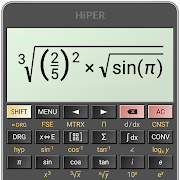
Excellent scientific calculator with symbolic algebra, graphing, equations, integrals and derivatives.
The calculator has globally more than 40 million downloads and 200 000 five-star ratings.
You can write expressions in a natural way and watch your calculations. The result is displayed as a number, simplified expression etc.
The calculator has several layouts suitable for various screen sizes:
- "pocket" for small devices
- "compact" for smartphones (in portrait and landscape orientation)
- "expanded" for tablets
A multiline display can be turned on in tablets to show the complete history of calculations and to provide access the previous results.
Users can choose from several high-quality themes.
The calculator has many functions, such as:
- up to 100 digits of significand and 9 digits of exponent
- basic arithmetic operations including percentage, modulo and negation;
- fractions and mixed numbers;
- periodic numbers and their conversion to fractions;
- unlimited number of braces;
- operator priority;
- repeated operations;
- equations (with one or more variables, systems of equations)
- variables and symbolic computation;
- derivatives and integrals;
- graphs of functions, equations, integral area and limits; 3D graphs;
- calculation details - extended information about a calculation like all complex roots, unit circle etc.;
- matrices and vectors
- statistics
- regression analysis
- complex numbers
- conversion between rectangular and polar coordinates
- sums and products of series
- limits
- advanced number operations such as random numbers, combinations, permutations, common greatest divisor, etc.;
- trigonometric and hyperbolic functions;
- powers, roots, logarithms, etc.;
- degrees, minutes and seconds conversion;
- fixed point, scientific and engineering display format;
- display exponent as SI units prefix;
- memory operations with 10 extended memories;
- clipboard operations with various clipboard formats;
- result history;
- binary, octal and hexadecimal numeral systems;
- logical operations;
- bitwise shifts and rotations;
- haptic feedback;
- more than 90 physical constants;
- conversion among 250 units;
- Reverse Polish notation.
The calculator has many settings to manage the full screen mode, decimal and thousand separators, etc.
All features are described with a built-in help.
- Google Play Store
- Free
- Tools
Usage Rank
#4,182
Math Keyboard vs. HiPER Scientific Calculator ranking comparison
Compare Math Keyboard ranking trend in the past 28 days vs. HiPER Scientific Calculator
Rank
Math Keyboard vs. HiPER Scientific Calculator ranking by country comparison
Compare Math Keyboard ranking trend in the past 28 days vs. HiPER Scientific Calculator
All categories
Tools
Compare to any site with our free trial
 Math Keyboard VS. HiPER Scientific Calculator
February 27, 2026