

Handy Art Reference Tool vs Nomad Sculpt Usage & Stats
If you're an artist and ever wanted just quick and easy drawing reference for hands, heads, or even feet* without having to awkwardly pose your limbs in front of a mirror, this app is for you!
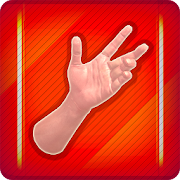
HANDY® is an artist's reference tool, consisting of several rotatable 3D limbs with a variety of poses useful for drawing. You can also customize and edit your own poses for hands, feet, and skulls.
Fully adjustable 3-point lighting means you can get easy lighting reference when using any of the 10+ included 3D head busts. Handy if you’re painting and need to know what shadows the head casts from a certain angle!
Also available is the Animal Skulls pack*. With over 10 different animal species, it's great for anatomical reference or creature design inspiration.
[*Foot rigs and Animal Skull pack require additional purchase]
NEW in Handy v5: Edit the materials of models! Selectively turn off their textures, adjust their specularity, or tint them a certain color.
Perfect for comic book artists, painters, or just casual sketchers!
Featured in ImagineFX's Top 10 Must-Have Apps!
Check out the video demo:
http://handyarttool.com/
Sign up for the HANDY newsletter for information about new upcoming updates!
http://www.handyarttool.com/newsletter
Follow HANDY on Bluesky
https://bsky.app/profile/handyarttool.bsky.social
Follow HANDY on X
http://twitter.com/HandyArtTool/
- Google Play Store
- Paid
- Comics
Store Rank
- -
• Sculpting tools
Clay, flatten, smooth, mask and many other brushes will let you shape your creation.
You can also use the trim boolean cutting tool with lasso, rectangle and other shapes, for hardsurface purposes.
• Stroke customization
Falloff, alphas, tilings, pencil pressure and other stroke parameters can be customized.
You can save and load your tools preset as well.
• Painting tools
Vertex painting with color, roughness and metalness.
You can easily manage all your material presets as well.
• Layers
Record your sculpting and painting operations in separate layers for easier iteration during the creation process.
Both the sculpting and painting changes are recorded.
• Multiresolution sculpting
Go back and forth between multiple resolution of your mesh for a flexible workflow.
• Voxel remeshing
Remesh quickly your mesh to get a uniform level of detail.
It can be used to quickly sketch a rough shape at the beginning of the creation process.
• Dynamic topology
Refine locally your mesh under your brush to get an automatic level of detail.
You can even keep your layers, as they will be automatically updated!
• Decimate
Reduce the number of polygons by keeping as many details as possible.
• Face Group
Segment your mesh into subgroups with the face group tool.
• Automatic UV unwrap
The automatic UV unwrapper can use face groups to control the unwrapping process.
• Baking
You can transfer vertex data such as color, roughness, metalness and small scaled detail in to textures.
You can also do the opposite, transfering textures data into vertex data or layers.
• Primitive shape
Cylinder, torus, tube, lathe and other primitives can be used to quickly start new shapes from scratch.
• PBR rendering
Beautiful PBR rendering by default, with lighting and shadows.
You can always switch to matcap for a more standard shading for sculpting purposes.
• Post processing
Screen Space Reflection, Depth of Field, Ambient Occlusion, Tone mapping, etc
• Export and Import
Supported formats include glTF, OBJ, STL or PLY files.
• Interface
Easy-to-use interface, designed for mobile experience.
Customization is possible as well!
- Google Play Store
- Free
- Art & Design
Store Rank
- -
Handy Art Reference Tool vs. Nomad Sculpt ranking comparison
Compare Handy Art Reference Tool ranking trend in the past 28 days vs. Nomad Sculpt
Rank
Handy Art Reference Tool vs. Nomad Sculpt ranking by country comparison
Compare Handy Art Reference Tool ranking trend in the past 28 days vs. Nomad Sculpt
All categories
Comics
Compare to any site with our free trial
Handy Art Reference Tool VS.  Nomad Sculpt
February 27, 2026