

Sie haben Ihr Suchlimit erreicht
Starten Sie Ihren kostenlosen Testzugang, um weiterhin alle Traffic- und Performance-Insights zu erkunden.
Los geht'sMyBase - Simple notepad app - App-Analysen für 21. Mai

MyBase - Simple notepad app -
- fumio ueda
- Apple App Store
- Kostenlos
- Versorgungseinrichtungen
Description of functions and features
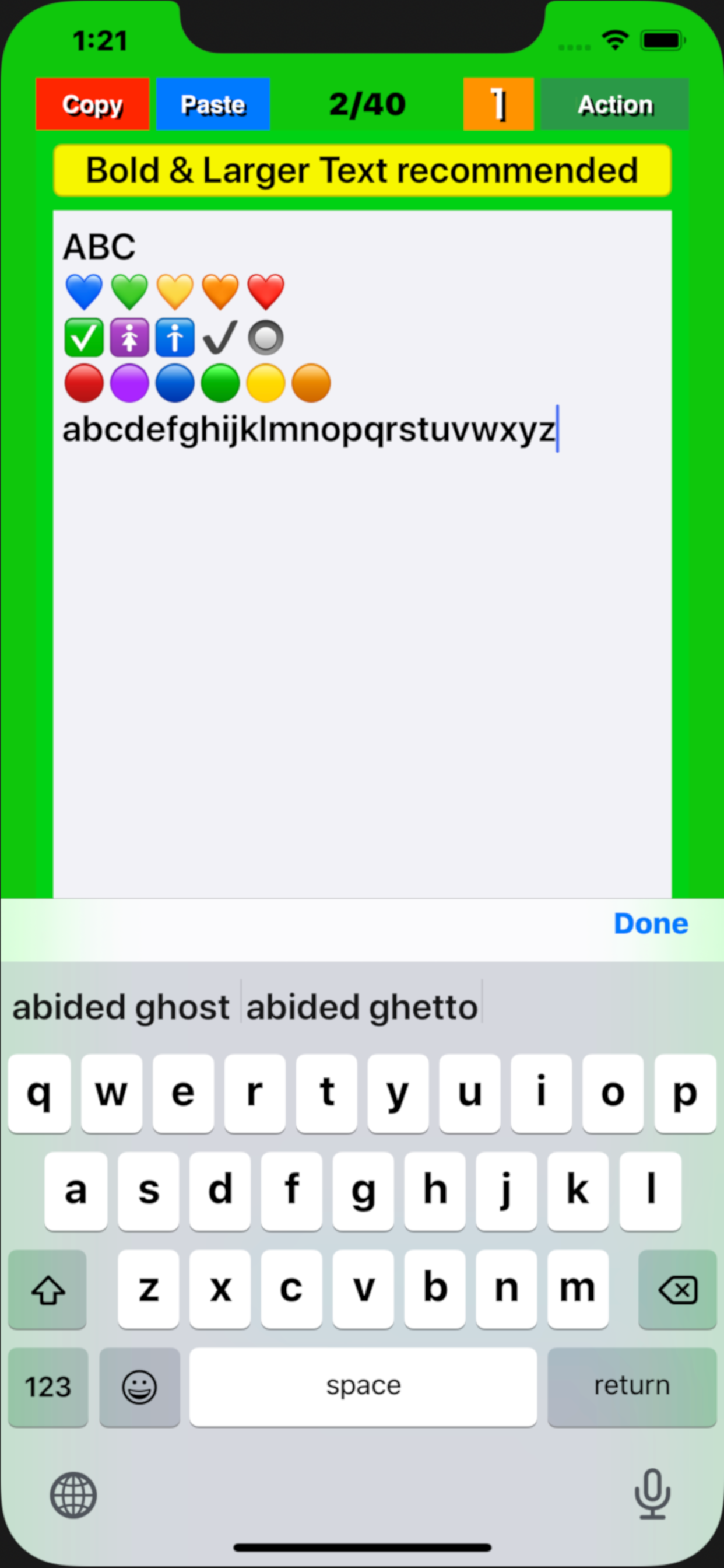
(1) Notepad function
● This app“My Base” will be displayed from the page that ended last time and will be editable.
● Swipe the screen left / right or tap the left / right frame to page forward/backward. If the mode has been set to “5” with the “Mode” button, the page is turned 5 pages at a time, and if it has been set to “1”, the page is turned 1 page at a time.
● On each page, tap the position in the title / body where you want to enter text and set the cursor there. Type characters using the keyboard that pops up. The cursor will automatically move to the next position each time you enter a character.
● The entered text is stored in the memory of the device (iPhone/iPad) by pressing the "Done” button.
(2) Character number display function
● The number of characters in the text of each page is displayed in the light blue label at the bottom of the screen. The number of characters is counted again when the "Done" button is tapped or the page is turned, and the display is updated.
● The display / non-display of the number of characters with the label can be switched by pressing a few seconds the "mode" button . (v1.4)
(3) "Copy" function
By tapping the “Copy” button in a page, the entered title and text will be stored in the device memory. The text is also copied to the clipboard.
(4) "Paste" function
● Tapping the “Paste” button in a page overwrites the title and text stored in the memory into the title and body field of that page, respectively. If you tap "Overwrite" on the pop upped confirmation screen that appears before overwriting, that will be executed.
● Copying a blank page and pasting it on any other page to delete all characters at once.
(5) Table of contents creation function
Pressing a few seconds the “Paste” button, a message pops up asking if you want to create a table of contents. Select "Create" to create a table of contents.
(6) "Mail" function
On any page, pressing a few seconds the “Action” button, a screen pops up to select email or print . Select “E-Mail” and follow its instructions on the email control screen that will popup next.
(7) "Print" function (Supported in v1.4)
On any page, pressing a few seconds the “Action” button, a screen pops up to select email or print.
Select “Print” and follow its instructions on the print control screen that will popup next.
(8) Support Dynamic Type Text. (v1.4)
The text size for the title and body can dynamically be changeable through device's “Settings” .
"Setting" => “Accessibility” => “Display & Text Size” => Larger Text => ON => Larger Accessibility Sizes => ON => Change Slider Position
"Setting" => “Accessibility” => “Display & Text Size” => Bold Text => ON
(9) Text size temporary change function
The text size can be temporarily enlarged / reduced by pinching (v2.3,v2.5).
Rang speichern
Der Store-Rang basiert auf mehreren Parametern, die von Google und Apple festgelegt wurden.
Alle Kategorien in
Vereinigte Staaten--
Versorgungseinrichtungen in
Vereinigte Staaten--
Top-Wettbewerber und alternative Apps
Apps mit hoher Wahrscheinlichkeit, von denselben Benutzer:innen aus demselben Store verwendet zu werden.

Easy - Simple Notepad

Tab Notepad Cut and Paste

Safe Notes: Notebook, Notepad

Sticky Notes - Sticky Widget
 MyBase - Simple notepad app - VS.
 Mai 21, 2026